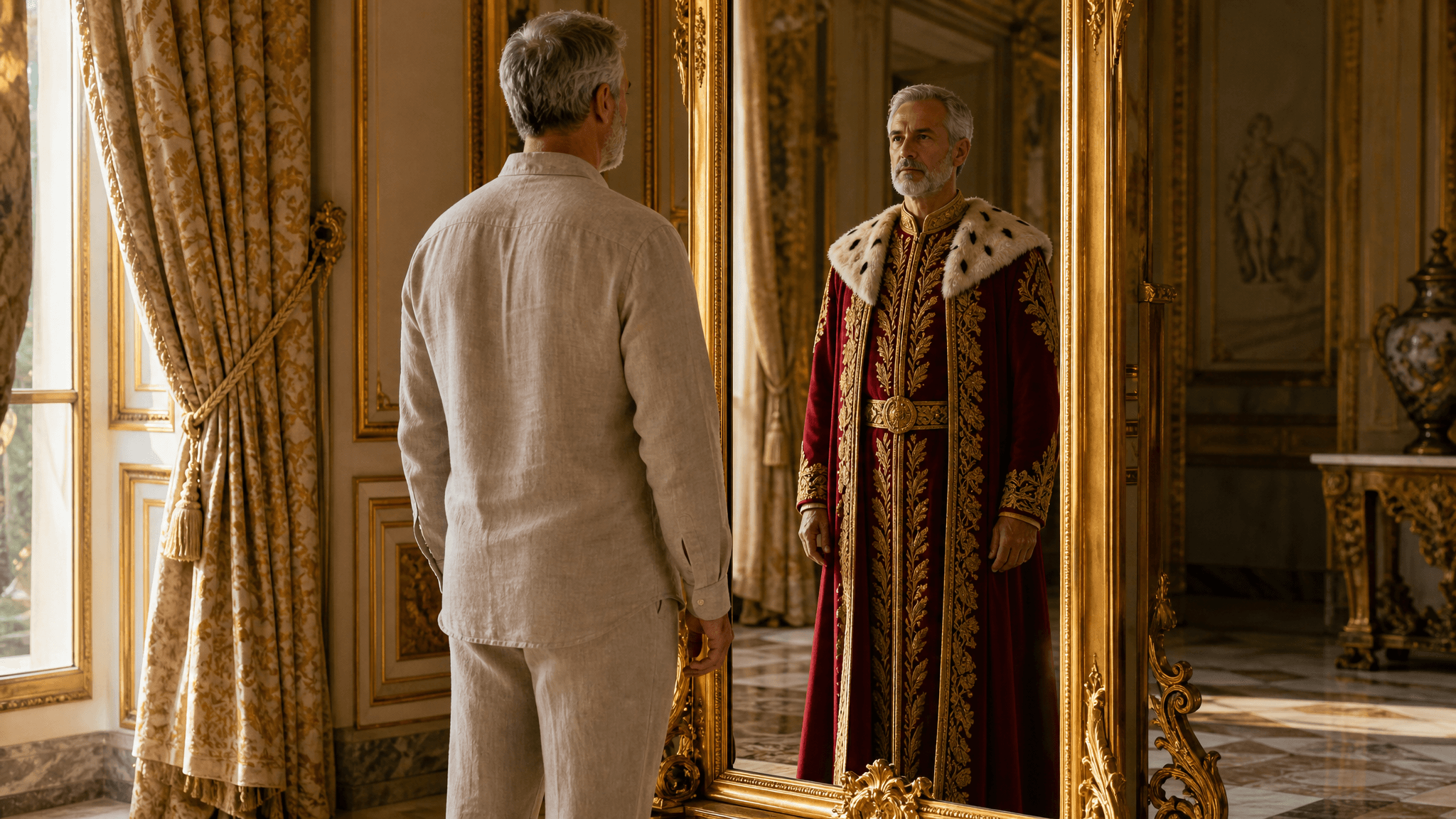
In Andersen's 1837 tale, two weavers sold an emperor a suit they claimed was invisible to anyone unfit for office or unusually stupid, and he paraded through town in nothing. An AI clothing generator is that sales pitch with the fraud taken out: you describe a garment in a sentence, and a model returns clothing everyone can see.
The term covers two separate jobs. One turns a text description into pictures of clothing that does not exist yet, anything from a catalog flat lay to a model wearing the piece. The other starts from a photo of a real person and redraws only the clothes.
This guide hires both for the same client, the emperor himself. He gets a photo redress that finally puts something real on him, a wardrobe designed from a text brief, and a workflow for keeping one robe consistent across angles and colorways, which is the part most guides skip.
Key Takeaways
- An AI clothing generator does two different jobs: designing new garments from a text description, and putting a new outfit onto an existing photo. Pick the tool by the job.
- Free Change Clothes AI handles the photo side: the first generation is free at full resolution once you sign in, straight from the browser.
- For design work, name fabric, cut, and construction instead of stacking adjectives; vague prompts are the top cause of unusable results.
- If the outfit you describe includes shoes, upload a full-body photo; the generator can only dress what it can see.
- Keeping one garment consistent across angles and colorways works through reference images, not by re-rolling the same text prompt.
What an AI Clothing Generator Actually Does
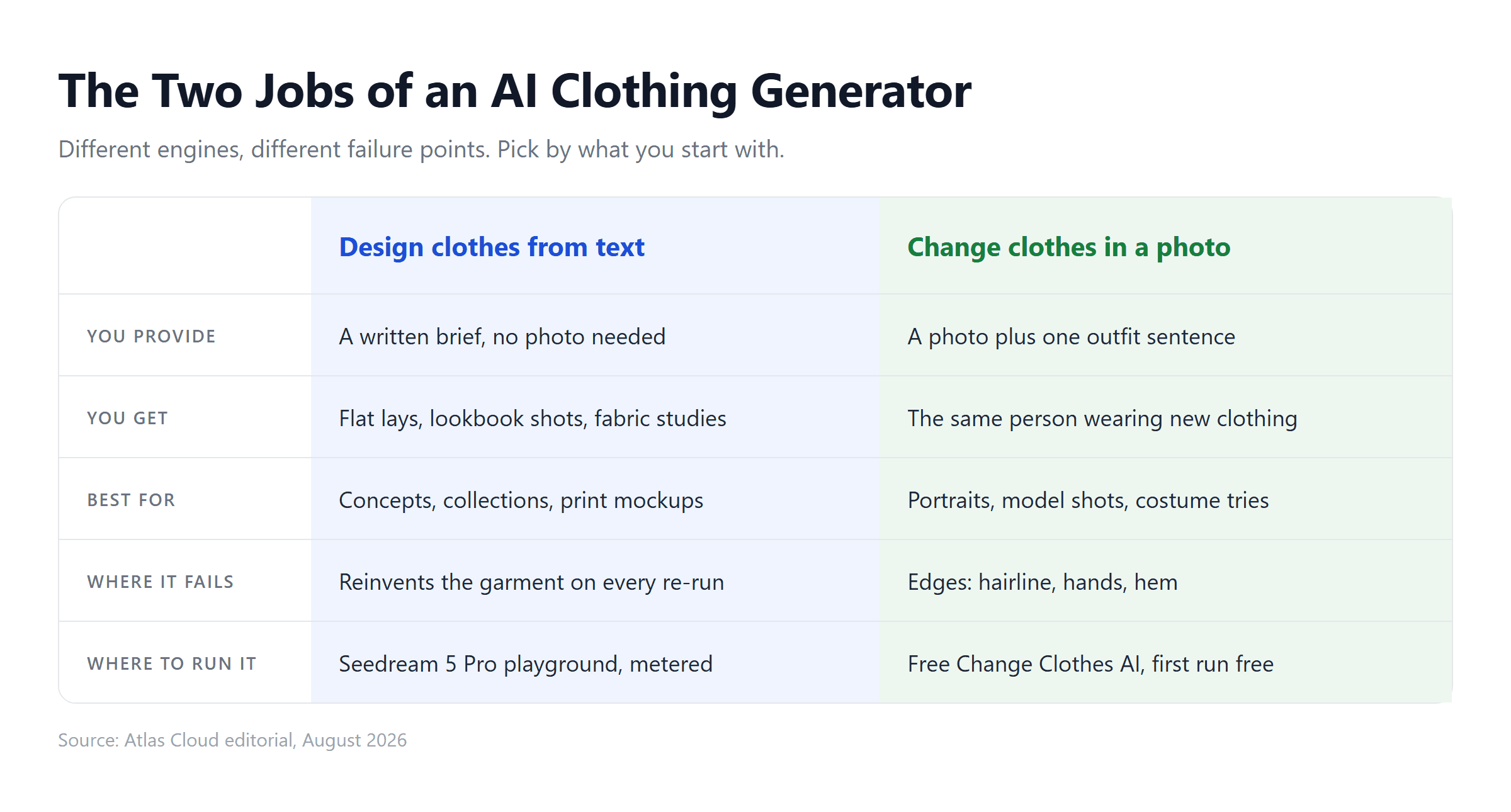
Under every product name in this category sit two model types doing two jobs. A text-to-image model invents garments: give it a written brief and it produces finished garment imagery in whatever format the brief names. An image editing model redresses people: give it a photo and an instruction, and it regenerates the clothing region while protecting the face, pose, and background.
The distinction decides everything downstream, including what you pay and what can go wrong. Design generation fails on fine detail and on holding one design steady between runs. Photo redressing fails at boundaries, where new fabric meets hands and hairlines. An AI clothes generator marketed as one product is almost always one of these two engines with a specific interface on top.
Worth separating from both: virtual try-on tools transfer an existing product photo onto your body, which is a shopping decision aid. Generation, the subject here, invents clothing that did not exist before the prompt.
Change Outfits for Free: Atlas Cloud's Clothes Generator
The photo job has a zero-cost entry point. Atlas Cloud runs a catalog of hosted image and video models, and its Free Change Clothes AI tool wraps the redressing workflow into one page. By the page's own wording, "Your first generation is free, at the same full resolution as any paid run." A quick sign in with Google, GitHub, or email is what activates that free run, and results download at 1328 by 1776 with no watermark.
Here is what that one free run bought the emperor:
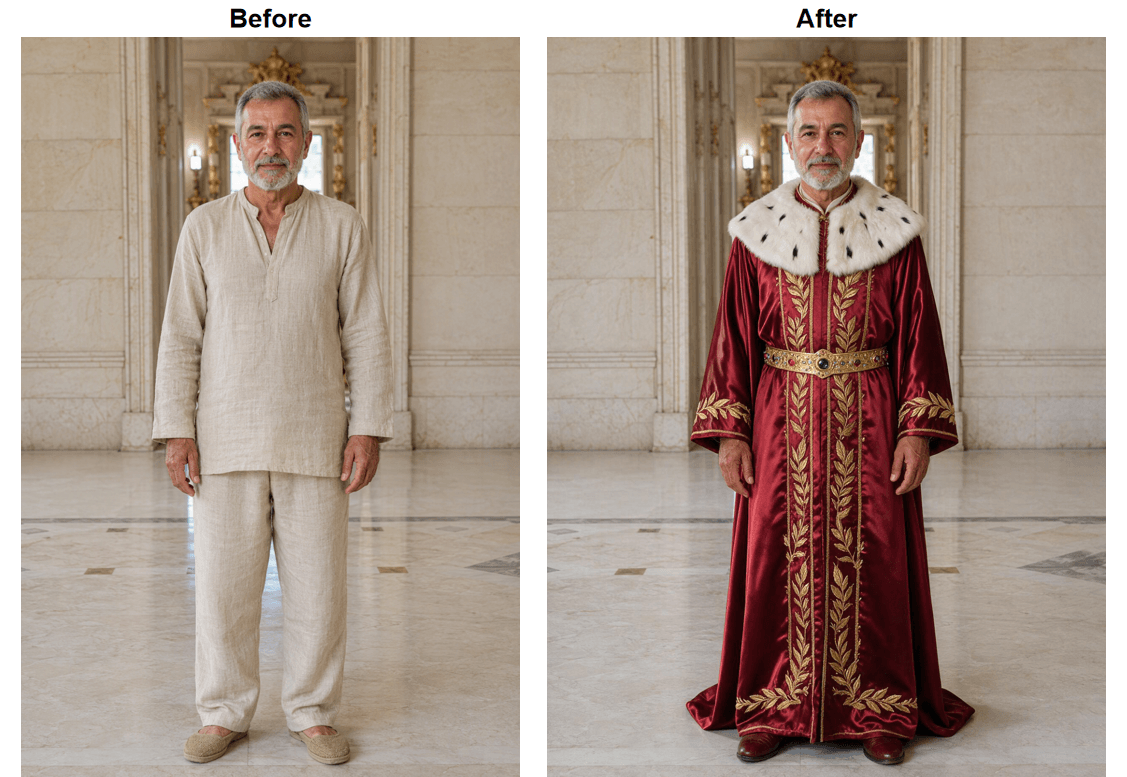
The tool describes its scope as rebuilding the clothing with fabric folds, shadows, and light while leaving face and hair untouched. That constraint is the whole trick: because only the garment region is regenerated, the person in the output is still recognizably the person in the input. Photo redressing has its own failure catalog, body extensions and pattern breaks among them, documented with test evidence in our AI outfit swap guide.
Put AI Generated Clothes on Your Photo in 4 Steps
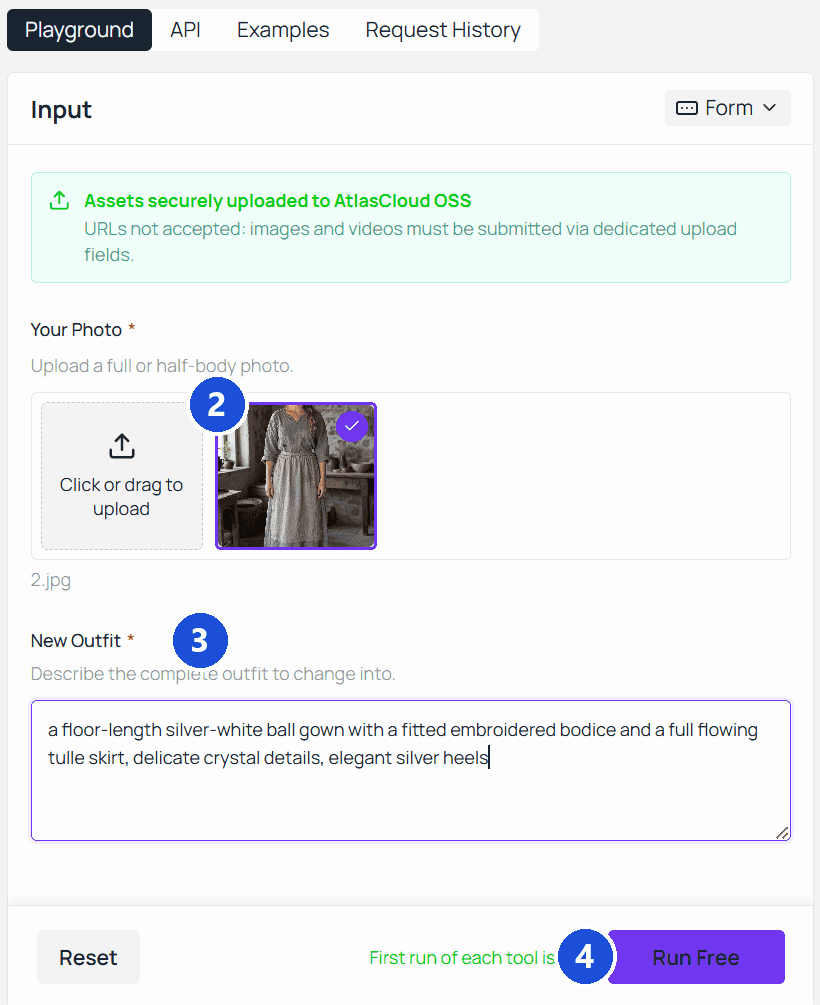
- Pick a photo that shows everything you plan to replace. Our target outfit includes shoes, so the emperor's input is a full-body shot. JPG, PNG, or WebP, up to 10MB, facing the camera in even light.
- Upload it by dragging the file onto the page.
- Write the outfit as one complete sentence. The test brief: "a floor-length crimson silk ceremonial robe with gold laurel embroidery, an ermine-trimmed collar, a jeweled gold belt, and crimson leather shoes." Every visible piece named, nothing left for the model to invent.
- Press Run Free, compare, download. Put the result next to the original before saving rather than judging the new outfit on its own.
Designing Clothes From Text: AI Image Generator Clothing Prompts
Now the other job, the one with no photo to start from. When the garment itself is the deliverable, a concept for a collection, a print mockup, a costume brief, the starting tool is a text-to-image model. Our design runs started on Seedream v5.0 Pro Text-to-Image, from the same model catalog that sits alongside Atlas Cloud's AI tools collection: open its playground, type a brief, and the exact metered price of that run shows next to the Run button before you commit anything.
The design brief works differently from the redress sentence. A redress describes an outfit onto a body; a design prompt has to carry the photography too. Three formats cover most clothing work, and each needs its own framing language.
Prompt Recipes That Work
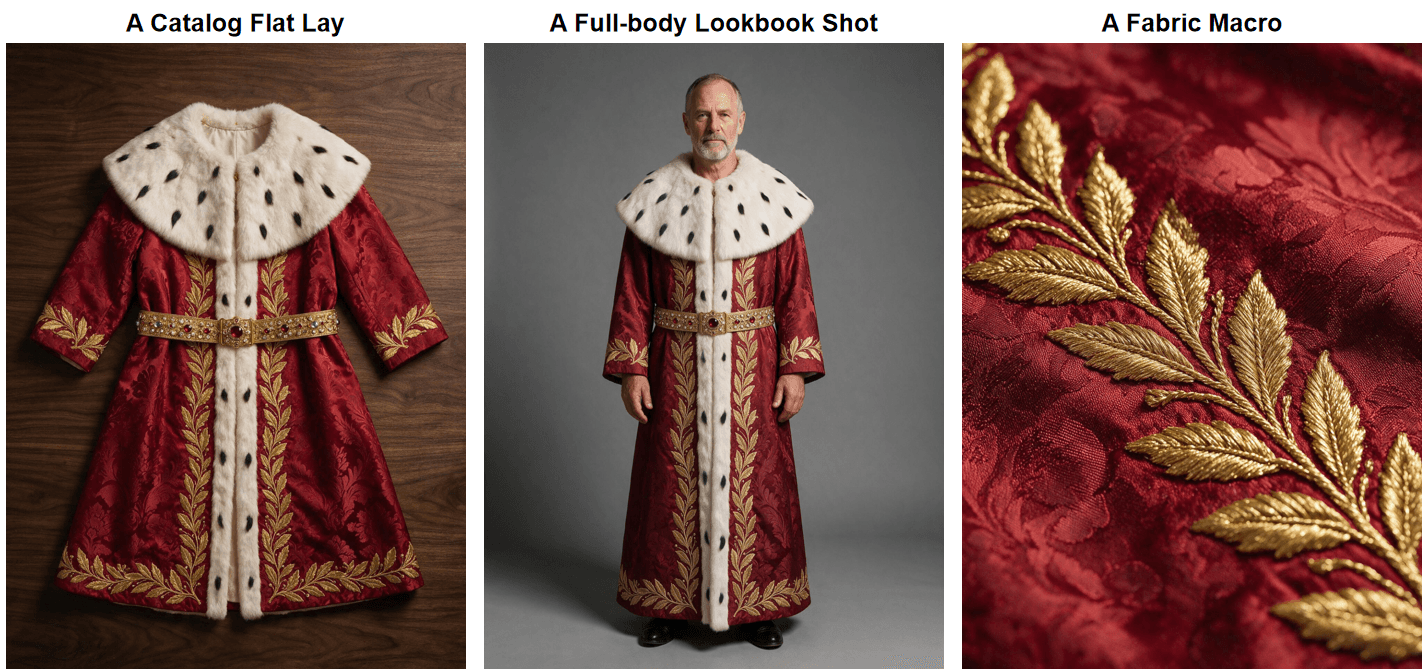
The catalog flat lay. No person, no mannequin, garment as product. This is the text-to-image run that originates the design:
Product flat lay photo of a royal ceremonial robe, deep crimson silk brocade with gold laurel embroidery, wide ermine-trimmed collar, a jeweled gold belt across the waist, laid flat on dark walnut wood, soft even studio light from above, catalog style, no person.
Generated independently, the next two formats would each invent their own robe, three cousins instead of one garment. Text is a recipe, not a blueprint; the model reinvents the garment on every roll. So the worn shot and the macro run on Seedream v5.0 Pro Edit instead, with the flat lay attached as a reference image. It is the same engine type that redresses photos, pointed at a garment instead of a person.
The lookbook shot. The same garment worn, with pose and drape entering the frame:
A full-body studio photo of a dignified older man with a short grey beard wearing exactly the robe from the reference image, its gold laurel embroidery, ermine collar, and jeweled gold belt unchanged, standing straight facing the camera, neutral grey backdrop, soft key light, fashion lookbook style.
The fabric study. For checking whether the material reads as intended:
Extreme close-up of the fabric of the robe from the reference image, crimson silk brocade with raised gold thread embroidery in a laurel leaf pattern, visible weave and thread texture, shallow depth of field, softbox lighting.
Run all three and you have one design presented the way a real line sheet presents it: the piece, the piece worn, the material.
Common Failures and Fixes
- Ornament turns to mush. Dense repeated motifs such as embroidery, crests, and monograms are where image models most readily smear detail. Fix: name the motif and its scale ("gold laurel branches, each about palm sized") instead of asking for "intricate detail," and inspect at full zoom before using the output. For the record, our own three panels came back clean, the laurel legible even in the macro, so treat this as a spot check rather than a guaranteed loss.
- Hands merge with fabric. In lookbook shots, hands resting on the garment can fuse with it. Fix: pose them in the prompt, "arms relaxed at the sides."
- Wrong fabric weight. Brocade that drapes like a t-shirt is a physics miss. Fix: state weight and structure directly, "heavy," "structured shoulders," "holds its shape," rather than hoping the fabric name implies it.
Same Robe, Every Angle: Keeping AI Generated Clothes Consistent
Here is the wall every designer hits in week one. The lookbook prompt above produces a beautiful robe, and running it again produces a different beautiful robe. Text is a recipe, not a blueprint; the model reinvents the garment on every roll. For a mood board that is fine. For a catalog, a character sheet, or a client presentation, it is disqualifying.
Question is: how do you pin one garment down? The answer is to stop describing and start referencing. The workflow that held up in our testing:
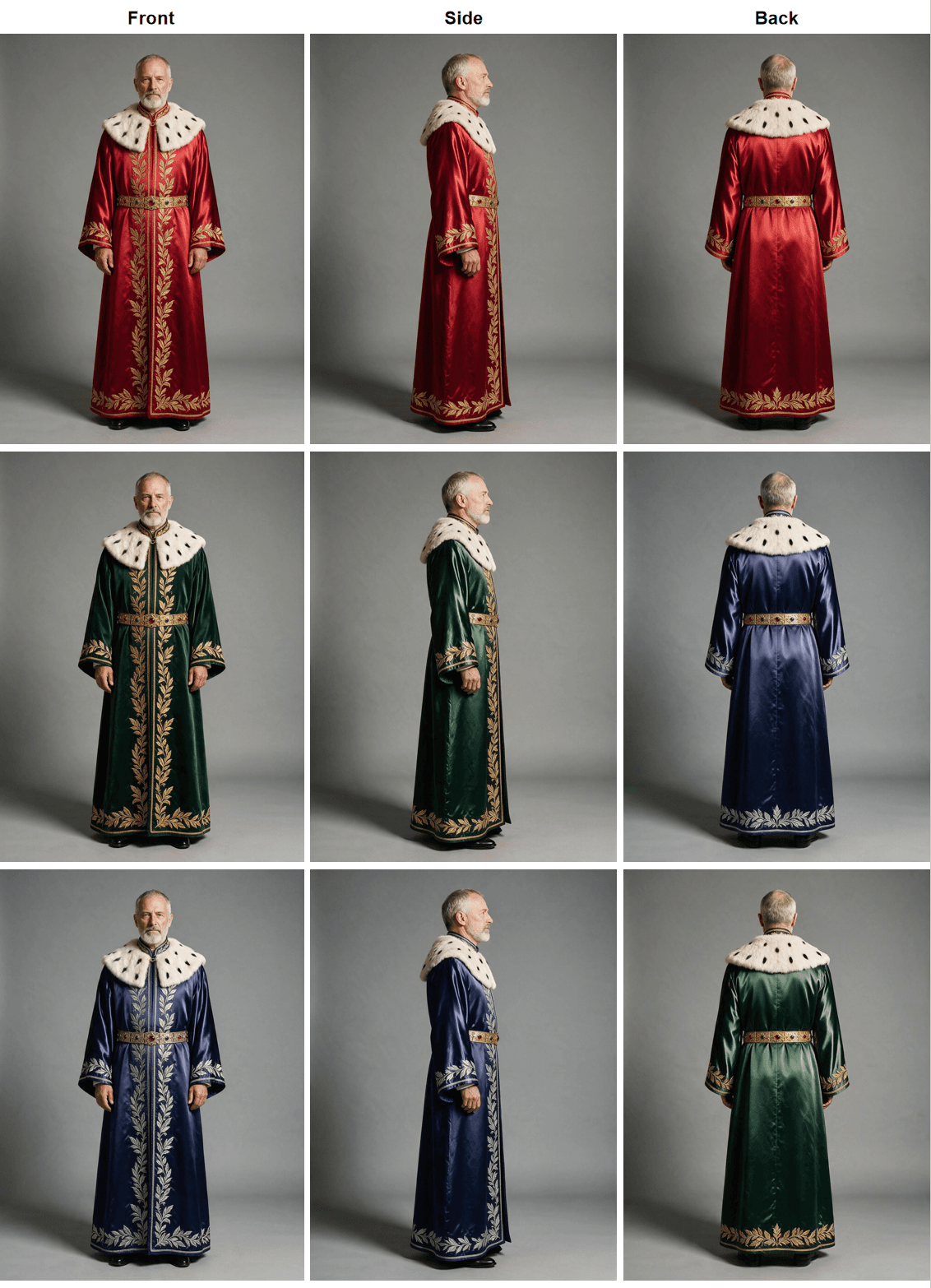
- Elect an anchor. Generate until one output nails the design, then treat that image as the single source of truth and stop re-rolling. Ours took a few rolls past the recipe shot before one earned the job.
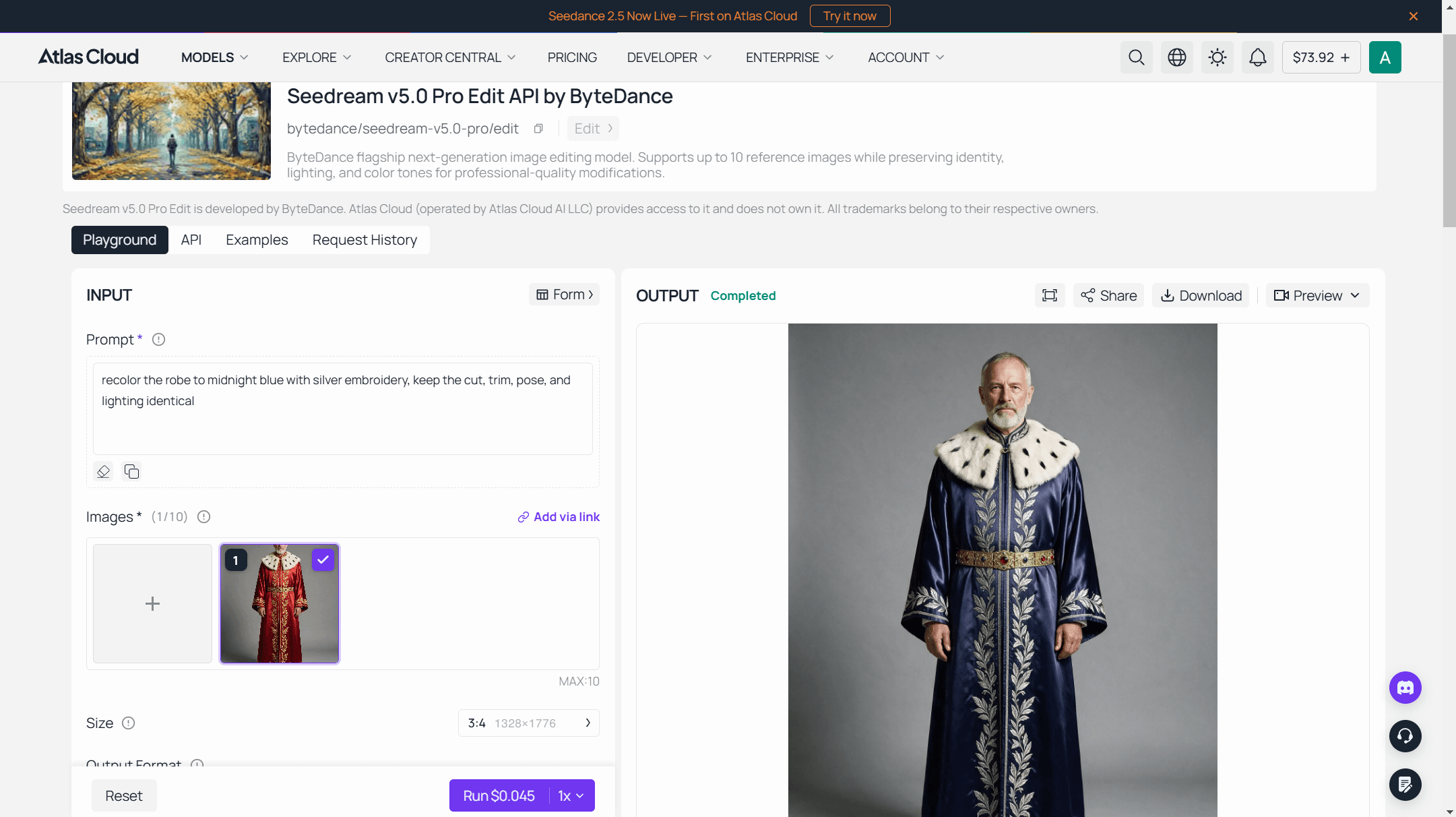
- Switch to the edit endpoint. Seedream v5.0 Pro Edit takes reference images alongside the prompt, up to 10 per request by its published schema. Feed it the anchor and ask for the turn: "same robe, same man, same lighting, rotated 90 degrees to show the left side." Then again for the back.
- Recolor against the full set. With front, side, and back locked, request one change only: "recolor the robe to midnight blue with silver embroidery, keep the cut, trim, pose, and lighting identical." Repeat per colorway, and per angle to fill out a full grid.
The same loop scales past one robe. Catalog work can run these exact calls through the Atlas API instead of the playground, feeding each product's anchor and iterating colorways in code. An edit run at 1328 by 1776 is $0.045 with the first reference image included, plus $0.003 for each additional reference, checked August 24, 2026. For prompt patterns aimed at product and ad output specifically, the e-commerce playbooks article carries four worked setups.
Tips for Cleaner Results From a Clothes AI Generator
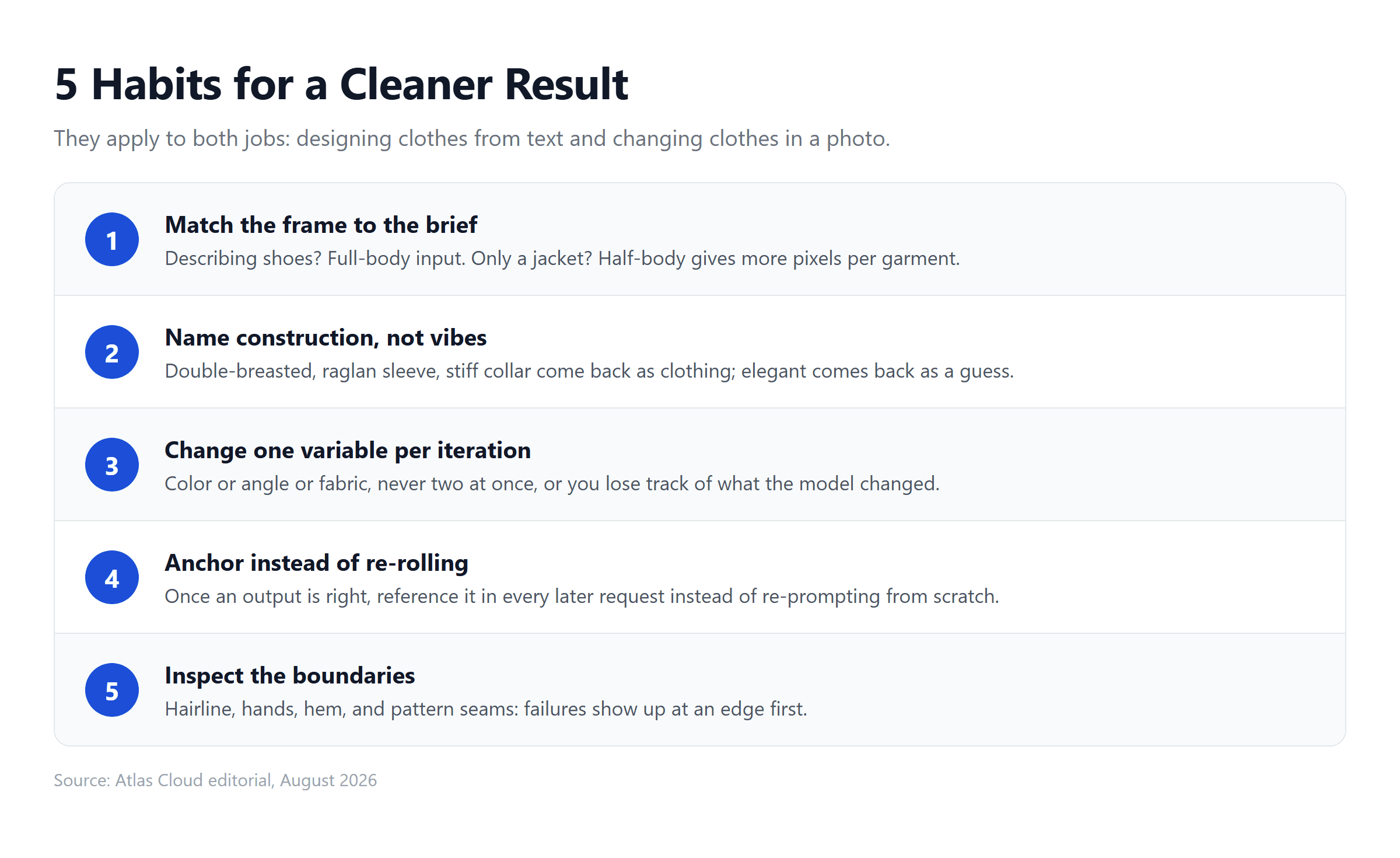
Five habits carried our test from coin-flip results to keepers, and they apply to both jobs:
- Match the frame to the brief. Describing shoes? Full-body input. Only a jacket? Half-body is fine and gives the model more pixels per garment.
- Name construction, not vibes. "Double-breasted," "raglan sleeve," "stiff standing collar" come back as clothing; "elegant" and "high quality" come back as guesses.
- Change one variable per iteration. Color or angle or fabric, never two at once, or you lose track of what the model changed on its own.
- Anchor instead of re-rolling. Once an output is right, every later request should reference it. Re-prompting from scratch throws the design away.
- Inspect the boundaries. Hairline, hands, hem, and anywhere a pattern crosses a seam. Every failure mode in this article shows up at an edge before it shows up anywhere else.
Frequently Asked Questions
Is there an AI clothing generator free with no sign up?
Signing in is the activation step on Atlas Cloud: a Google, GitHub, or email login is what unlocks the free generation on the Free Change Clothes AI tool, and the free run comes back at the same full resolution as a paid one. If creating yet another account is the concern, the Google or GitHub option reuses one you already have.
Can AI generate clothes from just a text description?
Yes, that is the entire design half of this guide. One sentence produces a garment image; the quality tracks how much construction information the sentence carries. Fabric, silhouette, closure, trim, and the photographic format you want (flat lay, worn, or macro) are the five details that matter most.
What is the best AI clothing generator free option?
It depends on which of the two jobs you are doing. To change clothes in an existing photo, the Free Change Clothes AI tool gives a first full-resolution run at no cost. To design garments from text, generation runs on metered models where the playground shows the exact price per image before each run, so a design session costs cents rather than a subscription.
What photo works when an AI photo generator changes clothes?
Front-facing, evenly lit, with the current outfit fully visible and nothing crossing the torso. Keep hands away from the clothing, start from the sharpest file you have, and match the frame to the outfit you plan to describe.
Can I use AI generated clothing images commercially?
Review the usage terms of the platform you generate on before publishing commercially, since rights language differs between services and changes over time. Two practical cautions regardless of platform: keep real brand logos and trademarks out of your prompts, and treat a generated image as a design concept rather than a production document, because it carries no pattern, grading, or construction data.
Conclusion
Andersen's story ends with a child pointing out that the emperor is wearing nothing at all. That is the test worth keeping: clothing either survives being looked at or it does not. The outputs in this guide had to survive it repeatedly, as a flat lay, worn in a lookbook, redressed onto a photo, and held steady across nine angle and color combinations, and the workflow that got them through was unglamorous: one job per tool, one sentence per garment, one variable per iteration, one anchor image behind every request that follows.
Start where the cost is zero: put a real photo through the free redress and judge the boundaries yourself, then move to the metered playground when a design brief calls for it. Nearly two centuries after two weavers charged a fortune for empty looms, an AI clothing generator charges nothing to show you your first robe, and this time everyone can see it.