You searched "akool face swap," made one genuinely great meme, and hit download. A banner-sized watermark landed across the face. Then you looked up and your 100 free credits were already gone.
You were never trying to buy another monthly subscription. You just wanted the one GIF you could actually post.
Here is the part the app-store listings skip: every face swap app, Akool included, is a middleman sitting between you and the AI models doing the real work. The app adds credits, a watermark, and a resolution cap on top. The honest Akool face swap alternative is not another app. It is going to the source: run the swap itself in a free tool, call the models directly for the steps worth paying for, keep the full resolution, and turn the result into a shareable GIF for the price of loose change.
 A creator laughing at a desk surrounded by floating reaction-GIF screens in a colorful editing room
Key takeaways
- Akool's free plan stamps a full-screen watermark on results and caps output around 720p, and the 100 free credits are one-time (Vidwud, Feb 2026).
- The real Akool face swap alternative is skipping the app and calling the models directly: pay per generation, no forced watermark, no monthly credit reset.
- Atlas Cloud's free AI face swap tool covers the swap step itself at no cost, with no usage cap and no watermark per its own FAQ.
- This guide swaps a face into the "Blinking White Guy" reaction meme and animates it into a GIF, end to end.
- One honest caveat: Atlas Cloud does not export a GIF for you. You render a short clip, then convert it with one ffmpeg command (covered in Step 4).
See the Akool Face Swap Alternative in Action
Before any theory, here is the payoff. Left is the original Blinking White Guy meme frame. Right is the same frame with a different face fused in, same dim webcam grain, same stunned "wait, what did he just say" energy. 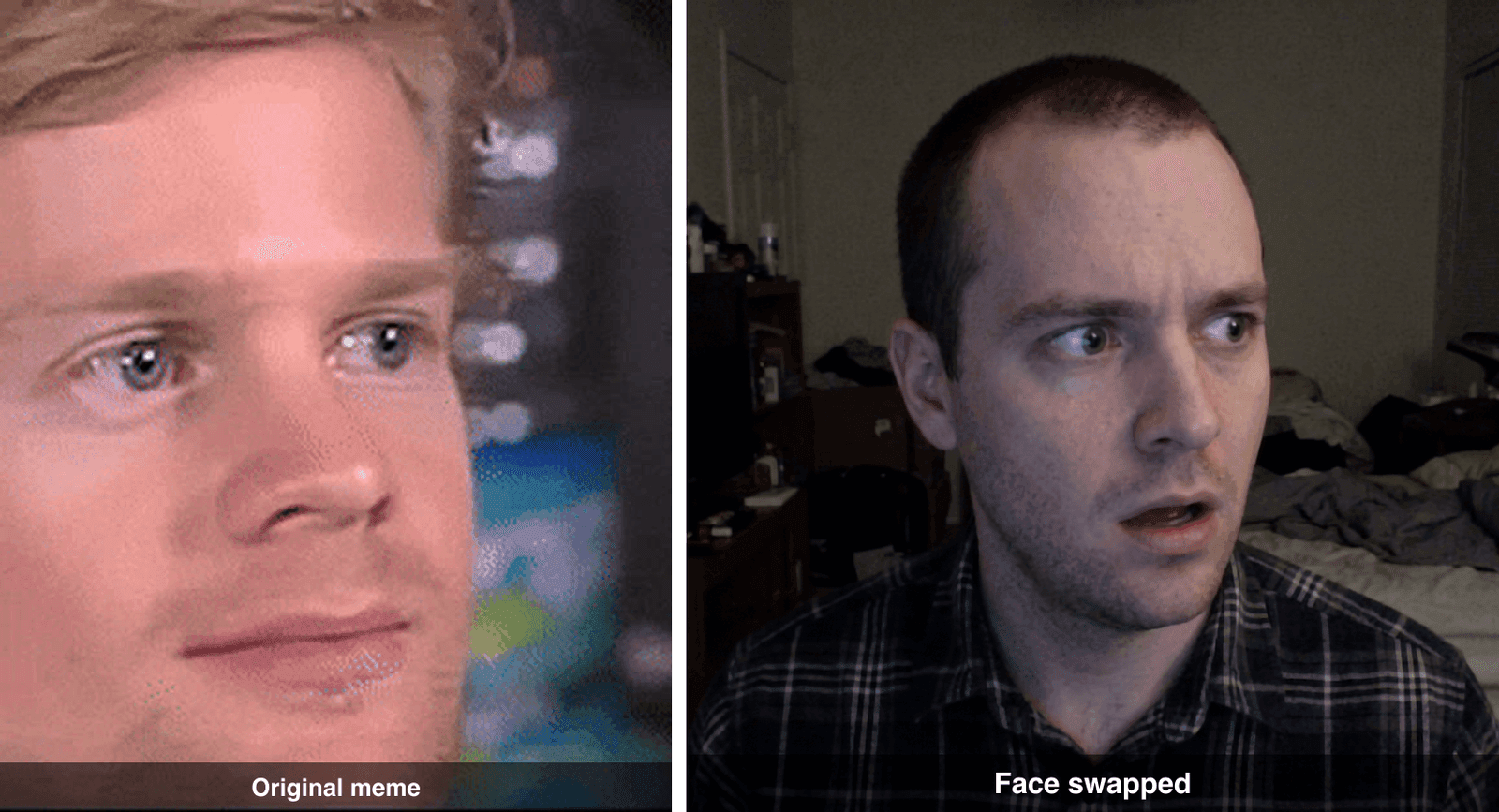 Before and after: the original Blinking White Guy meme frame next to the face-swapped version
The whole point of this meme is that it moves, so in Step 3 below we animate that swapped face into a looping blink GIF. The entire chain cost about 28 cents to make, with no watermark and nothing to cancel later. Here is how.
Why Everyone Wants an Akool Face Swap Alternative in 2026
Reaction memes never go out of style, and face-swapping yourself (or a friend) into one is the fastest way to get a laugh in a group chat. Akool rode that wave by making video and live face swap easy in the browser. The problem shows up the moment you try to actually use the result.
The free plan puts a visible full-screen watermark on every result and holds video output around 720p, and the 100 free credits are one-time rather than recurring, roughly 25 photo swaps or about 1.5 minutes of video at 4 credits per swap (Vidwud, Feb 2026). To strip the watermark and unlock higher resolution you move to a paid plan, which starts around $30 a month (Vidmetoo, 2026). The monthly credits reset with your billing cycle, so whatever you did not burn through is simply gone.  The Akool face swap web app landing page
None of that is unique to Akool. It is how face swap apps make money: meter the credits, brand the free output, and cap the quality until you pay. If you only make a meme once in a while, a subscription is the wrong shape entirely. You want to pay for the three frames you actually generated, not rent a monthly allowance you will forget to use.
The Akool Face Swap Alternative Workflow (One Browser Tab)
So here is the alternative shape. Instead of one app that hides the models, you call the models yourself on Atlas Cloud, a pay-as-you-go platform that puts a lot of image and video models behind one login and one playground. The metered models are only half of it: the AI tools page rounds up the free tools that run alongside them, and one of those is a free face swap that can take over the middle job of this chain on its own — it gets its own section in the tutorial below. No subscription, no forced watermark, and you get the full-resolution file.
A reaction-GIF face swap is three small jobs, all in the same browser tab:
| Job | Model | What it does | Price (as of July 2026) |
|---|---|---|---|
| Make a face | openai/gpt-image-2 | Generate a clean portrait to swap in (or skip it and use your own selfie) | $0.011 (low) to $0.216 (high, as run here) |
| Swap the face | bytedance/seedream-v5.0-pro/edit | Fuse that face into the meme with a clean, high-fidelity identity swap | $0.045, or $0 in the free face swap tool |
| Animate it | bytedance/seedance-2.0-mini (image to video) | Turn the still into a 5-second blinking clip | ~$0.43 (30% off, list $0.61) |
You can price-check every model yourself on the full model list; prices are shown before you run, not after. That last discount is live as of July 2026, so a 5-second clip lands around $0.48 instead of $0.69. Add it up and the full chain is well under a dollar.
Akool Face Swap Alternative Tutorial: Blinking Guy to GIF
Here is the whole thing, reproducible, with the exact prompts to paste. We are using the Blinking White Guy meme, Drew Scanlon's slow disbelieving blink from a 2013 Giant Bomb stream that became the biggest reaction GIF of 2017 (Know Your Meme). It works because it reads as pure "did I just hear that right?" Swap the face, keep the blink, and it becomes your friend reacting to anything.
One rule before you start: do not generate a fake Blinking Guy. Download the real meme and edit that. A recreated lookalike loses the grain and the joke dies instantly.
Step 0: Grab the real meme frame. Pull the original Blinking White Guy GIF, then pull one clear "eyes open, incredulous" frame out of it to use as your base image. (Prefer your own face going in? Then this frame is your base and your selfie is the face.)
Step 1: Generate a face to swap in. Open the GPT Image 2 playground. Set quality to high and size to 1024x1024 (1:1), since a clean front-facing portrait swaps best. Paste this:
plaintext1A candid, photo-realistic head-and-shoulders portrait of one person, front-facing, 2neutral-to-surprised expression, short hair, plain indoor background, soft natural 3lighting, sharp focus, realistic skin texture, shot on a mirrorless camera. 4Single face, centered.
The identity here does not matter. Swap in your own selfie instead and the rest of the steps are identical. 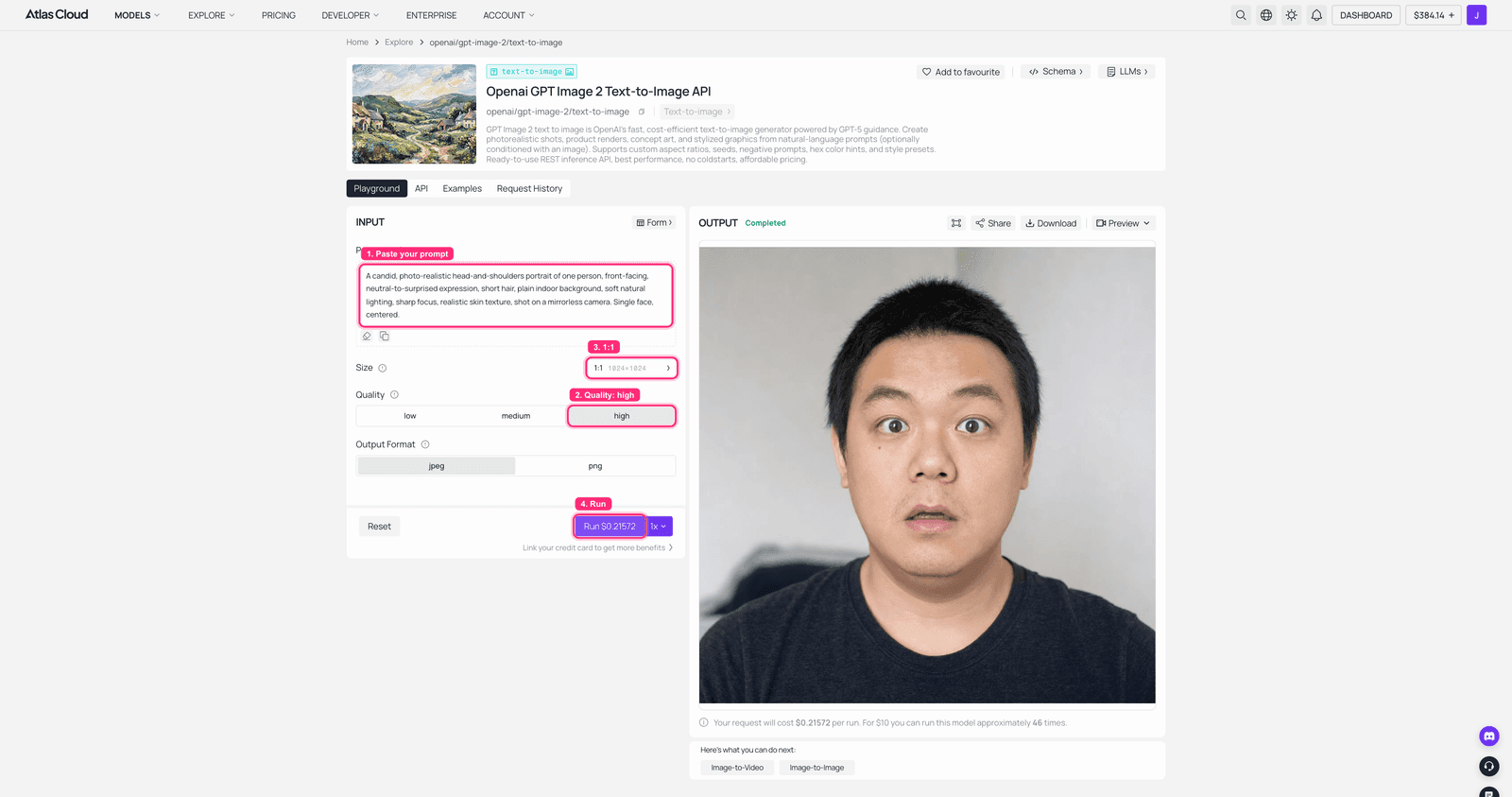 GPT Image 2 on Atlas Cloud: the portrait prompt filled in with the generated face in the output panel
 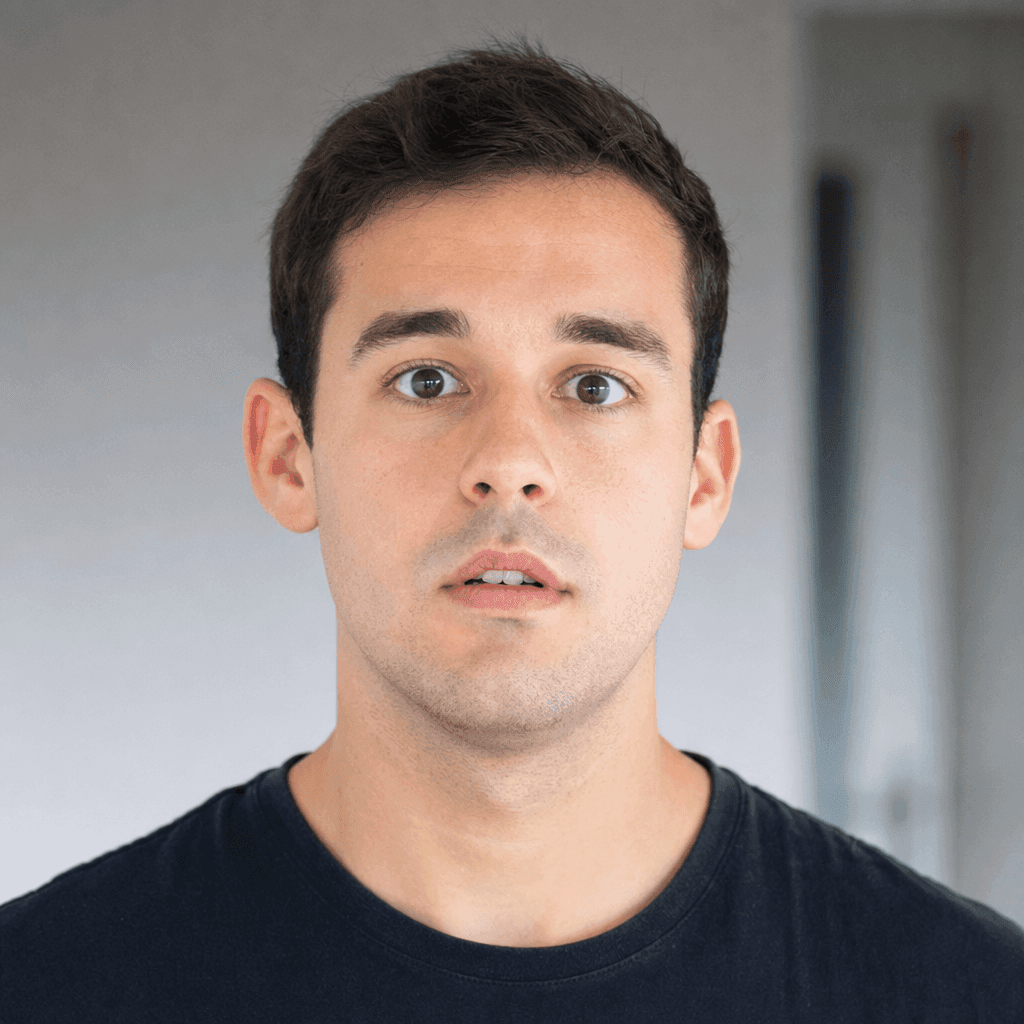 The generated portrait used as the face to swap in
Step 2: Fuse the face into the meme. Open the Seedream 5.0 Pro Edit playground and load two reference images: the meme frame from Step 0 and the portrait from Step 1. Keep the size matched to the meme's shape. Seedream 5.0 Pro Edit takes up to ten reference images and is tuned to preserve identity, lighting, and color tone while making a targeted edit, so the swapped face comes out sharp and consistent. One honest note: it leans toward a clean, high-fidelity result, so if you want to hold onto the raw low-res webcam grain, say so in the prompt and expect to nudge it. Paste this:
plaintext1Image 1 is the "Blinking White Guy" reaction meme still: a young man in a dim room 2caught mid-reaction with a stunned, incredulous look, slightly grainy low-resolution 3webcam texture, muted colors. Image 2 is a clear portrait of a different person. 4Edit Image 1 in place: perform a complete head-and-face swap so the person in Image 1 5now has the face and identity of the person in Image 2. This identity change is 6required, do NOT keep the original man's face. Keep the exact same incredulous 7expression, head angle, framing, dim room, grainy low-res webcam texture, muted colors 8and lighting unchanged. The swapped face must stay fully human (same eyes, nose and 9mouth as Image 2) wearing the stunned expression. Output ONLY the single edited still, 10no side-by-side, no diptych.
This is your canonical result. Save it, because the video step reuses this exact file. 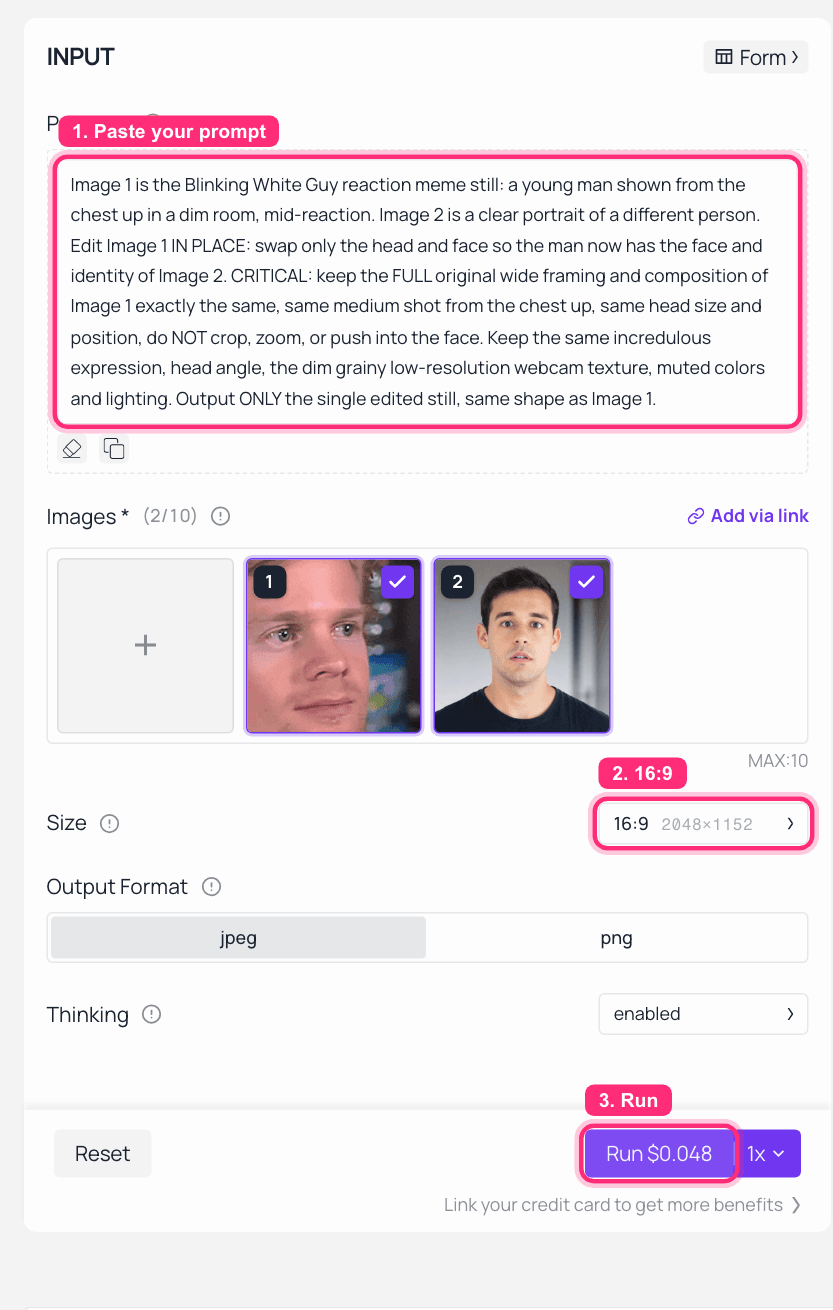 Seedream 5.0 Pro Edit on Atlas Cloud: the meme frame and portrait loaded as references, the face-swap prompt filled in, and the size and Run button marked, ready to run
 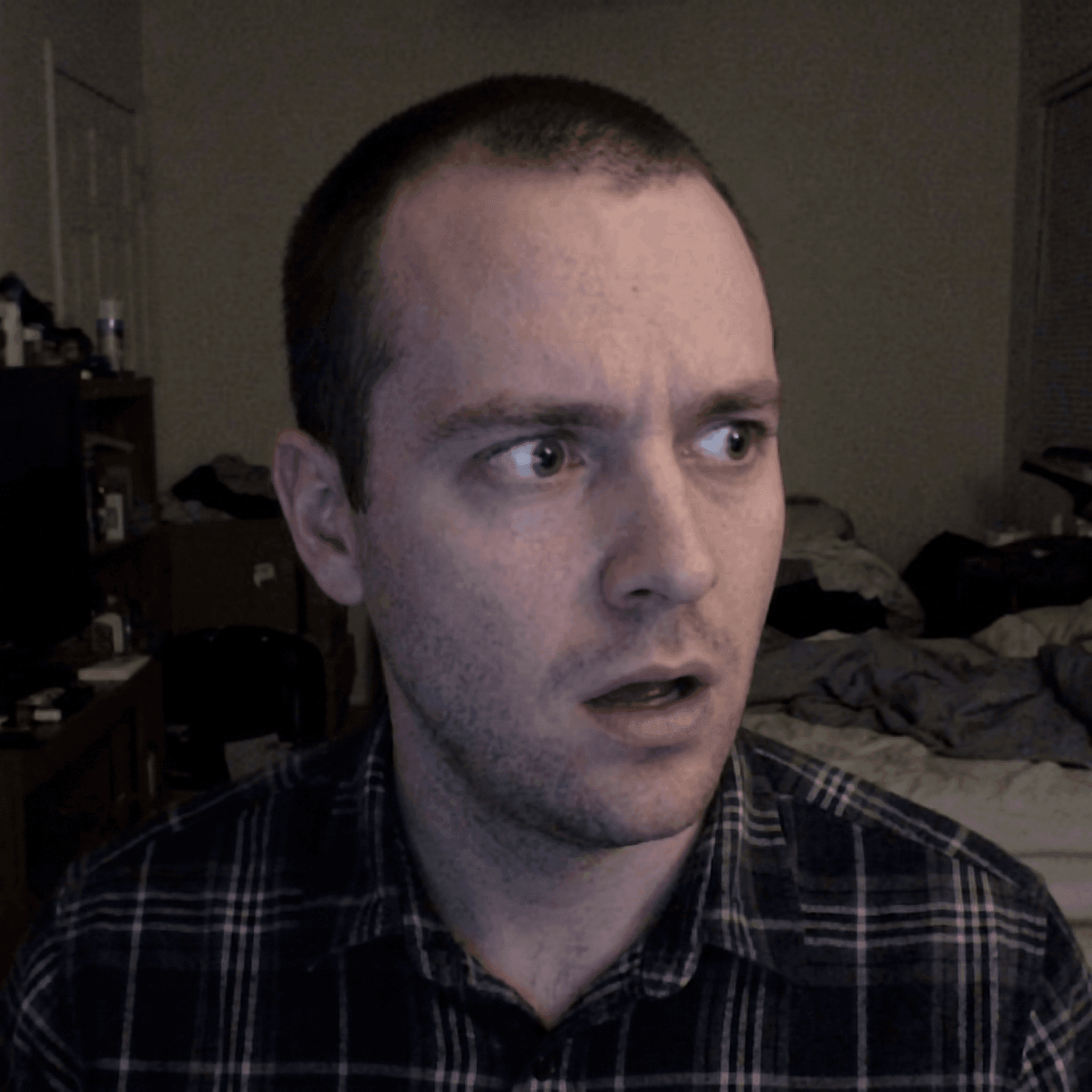 The face fused into the Blinking White Guy meme, grain and expression intact
Zero Credits, Zero Watermark: The Free Atlas Face Swap
This article opened with the two things Akool's free tier costs you: a watermark across the face and a credit balance that hits zero. Atlas Cloud's free AI face swap tool removes both at once, and it happens to be a drop-in replacement for the step you just read. The page is blunt about the money: the input panel is labeled "Free · No charge," and the FAQ's answer to whether it is really free is a plain yes: no cap on how many swaps you run, nothing stamped on the output.
The Blinking Guy is a friendly first case for it. The tool takes one photo and one face per run, and the meme frame contains exactly one face, so there is no cropping or setup. Load the Step 0 frame as the target, the Step 1 portrait (or a straight-on selfie) as the face, and hit swap; the tool maps 468 facial points and hands back the result in about eight seconds. There is no prompt box. In its place sit two sliders, Blend and Feather: Blend decides how much of the new identity lands, Feather how gently the edge dissolves into the pixels around it, which on a grainy webcam still is what keeps the jawline from going sticker-sharp.
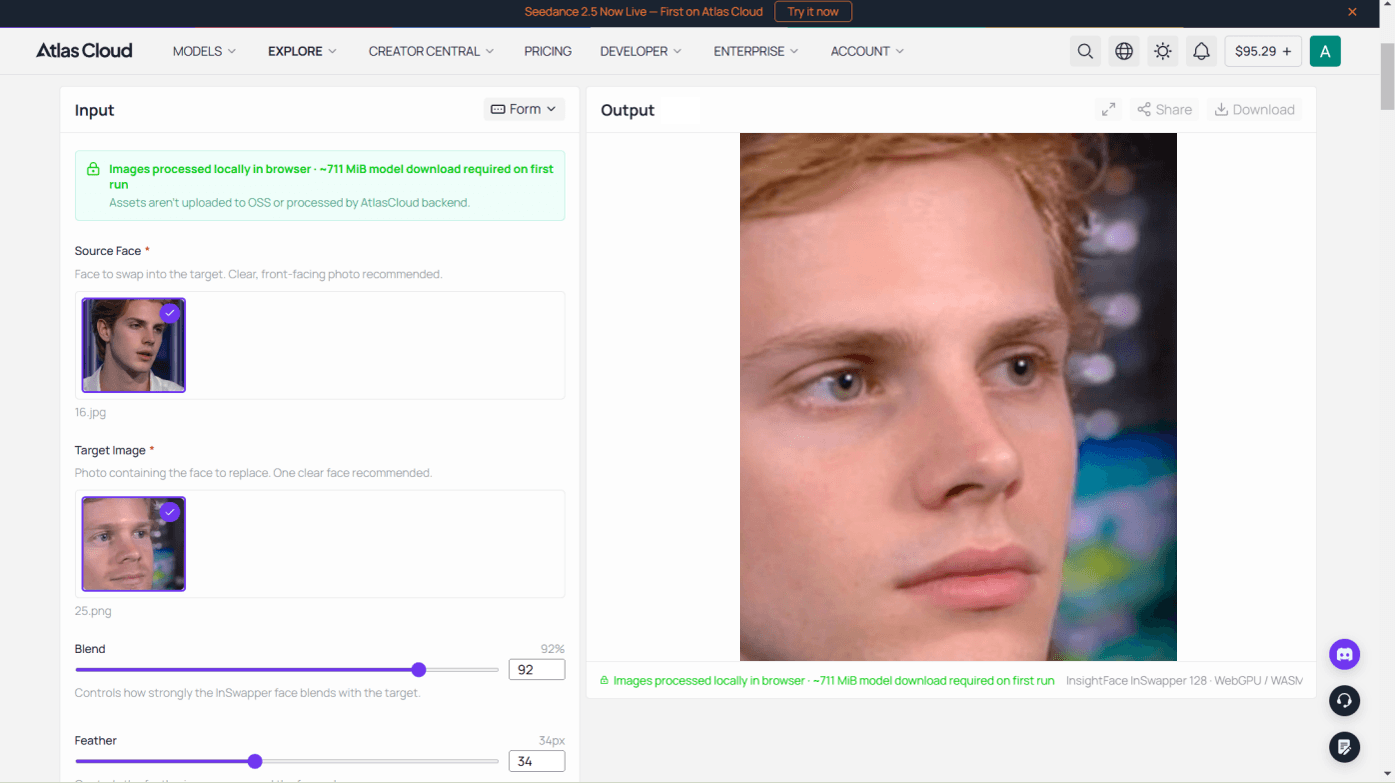
What you trade away is the sentence. There is nowhere to type "keep the grain" or "hold the incredulous expression," so if the one-click result drifts, the Seedream prompt above is still the fix. The other plain limits: results download as a PNG at the size of your target photo up to 1280 pixels on the longest side (the real Blinking Guy frame sits far under that, so nothing is lost here), it swaps stills one at a time with no batch upload, and the first visit downloads about 711 MiB of model files before the first run. After that, a retry costs nothing, which makes this the cheapest possible way to find out whether a meme swap even works before any meter starts. Save the PNG and feed it to Step 3 exactly as you would the Seedream still: the free tool covers the swap, and the metered steps stay in charge of making it blink.
Step 3: Animate the blink. Upload the fused still to the Seedance 2.0 Mini image-to-video playground. Set resolution to 720p and duration to 5 seconds. Paste this:
plaintext1The person slowly blinks once, then their eyes widen slightly with a stunned, 2incredulous expression, plus a tiny subtle head tilt. Locked-off static shot, 3no camera movement, dim grainy webcam look preserved.
A 5-second clip renders in roughly two minutes. One honest note: video models re-render the frame as they animate, so the face comes out looking slightly different from the still (a touch lighter here). It still reads as the same swapped Blinking Guy, and the blink lands exactly where it should. 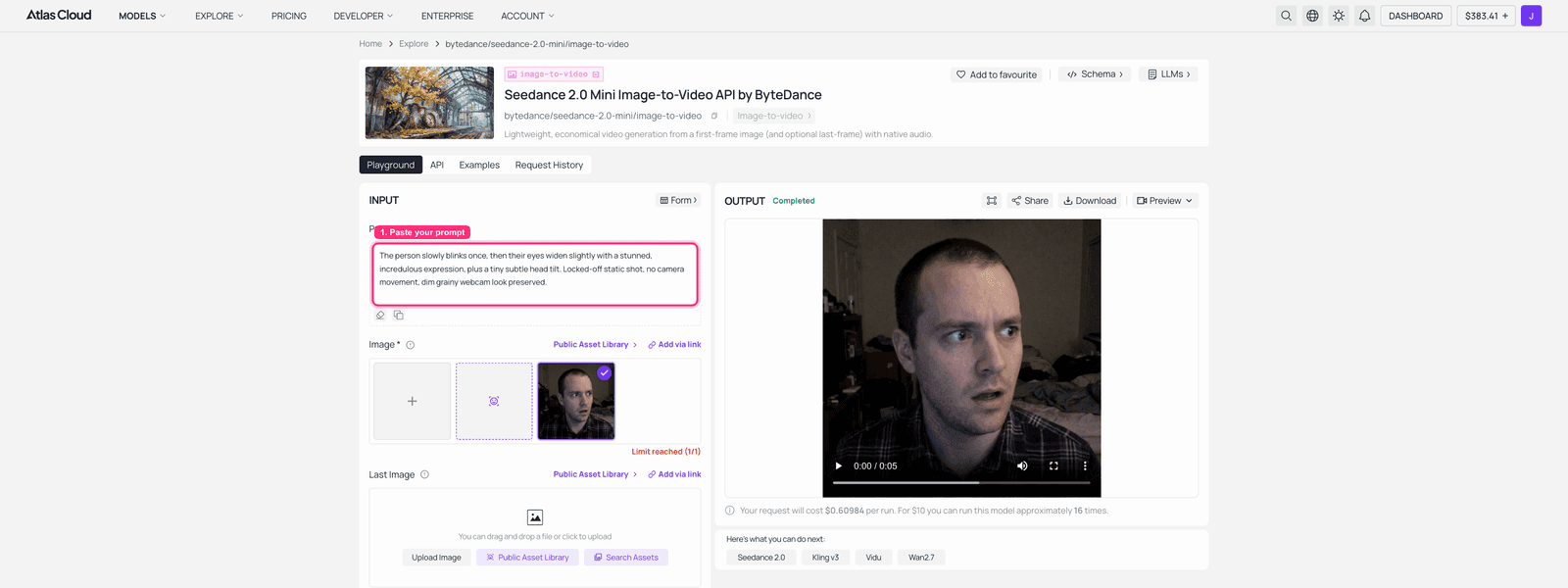 Seedance 2.0 Mini on Atlas Cloud: the fused still loaded, the finished blinking clip playing in the output panel
Here is the finished loop, the slow blink into the wide-eyed "did I just hear that" stare: 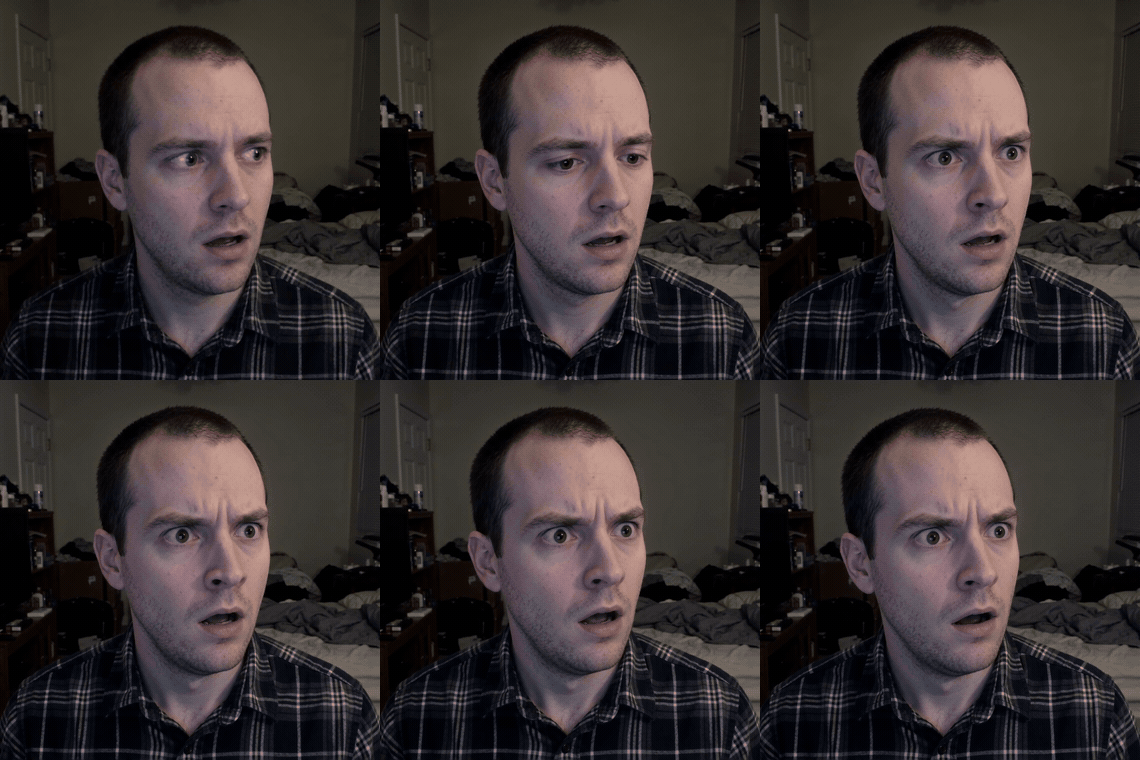 The finished face-swapped Blinking White Guy reaction GIF, blinking on loop
Step 4: Turn the clip into a GIF. Being honest about the one gap: Atlas Cloud gives you an MP4, not a GIF. Converting is one step. Download the clip and run these two ffmpeg commands (the first builds a color palette so the GIF stays crisp, the second uses it):
plaintext1ffmpeg -i clip.mp4 -vf "fps=12,scale=420:-1:flags=lanczos,palettegen" palette.png 2ffmpeg -i clip.mp4 -i palette.png -lavfi "fps=12,scale=420:-1:flags=lanczos,paletteuse" blinking.gif
At 420px and 12fps the file usually lands under 5MB, which posts fine to Reddit, Discord, or a group chat. No ffmpeg installed? Paste this to any chat assistant and let it write the command for you: "Write an ffmpeg command that converts clip.mp4 into a high-quality looping GIF under 5 MB, 420px wide, 12fps, using palettegen and paletteuse." That gives you the exact loop shown in Step 3, ready to post.
More Reaction Memes to Try
The exact same three-step chain works on any reaction meme. A few that are just as recognizable and just as fun to hijack:
- Crying Michael Jordan for the "I lost and I want everyone to know" energy.
- Confused Math Lady with the floating equations, for anything that makes no sense.
- Kombucha Girl and her disgusted-then-curious double take.
Pick a meme, grab the real frame, and run Steps 1 through 4. The face changes, the joke stays.
What Does This Akool Face Swap Alternative Cost?
Here is the full bill for the GIF at the top, no subscription attached:
| Step | Model | Cost |
|---|---|---|
| Generate the face | GPT Image 2 | $0.011 (low) to $0.216 (high, as run here) |
| Fuse the face into the meme | Seedream 5.0 Pro Edit, 1.5K | $0.045, or $0 in the free face swap tool |
| Animate 5 seconds | Seedance 2.0 Mini, 720p | ~$0.43 (30% off, list $0.61) |
| Total | about $0.48 to $0.69 |
Compare that to Akool's paid plans starting around $30 a month, where unused monthly credits reset and disappear. Here you pay for the three frames you generated and nothing else. Make one meme this month and it costs pennies. Make thirty and it still costs less than one month of a subscription you would half-use.
Is AI Face Swapping Legal?
Keep it clean and you are fine. Swap in your own face or a face you have permission to use, keep meme edits in the realm of parody and jokes, and do not build deceptive deepfakes of real people meant to mislead. Respect the terms of wherever you post. The tools are neutral; how you use them is on you.
Akool Face Swap Alternative FAQ
Is there a free Akool face swap alternative?
Yes, and it skips the usual catches. Atlas Cloud's free AI face swap tool, covered in the tutorial above, handles the swap step at no cost, without the watermark or the expiring credit balance that started this article. Its honest limits: it swaps one still photo at a time and tops out at 1280 pixels on the longest side, so animating the result still runs through the metered video step. If you need the swap itself prompt-controlled (grain, expression, framing), that is what the Seedream route is for.
Can I face swap a GIF like Akool does?
Yes, and that is exactly what this guide does. The one difference is that Atlas Cloud does not export a GIF directly. You swap the face into a still, animate it into a short clip, then convert the clip to a GIF with the one-line ffmpeg command in Step 4. Same outcome, a couple of extra seconds of work.
Does this Akool face swap alternative add a watermark?
No. Calling the models directly gives you the clean, full-resolution file with no forced branding, which is the whole reason to skip the app layer. Akool's watermark only comes off on its paid plans.
Is the face swap quality as good as Akool's?
It can be better, mostly because you control the model directly instead of through an app layer. Seedream 5.0 Pro Edit runs a high-fidelity, identity-preserving swap and accepts up to ten reference images for tricky cases. The trick is the prompt: spell out what must stay unchanged (the angle, the expression, the framing) and insist the swapped face stays human.
Do the credits expire like Akool's?
No. This is pay-as-you-go, so you are billed per generation. There is no monthly allowance to reset and nothing to lose at the end of a billing cycle. You spend on the frames you actually make.