Every page in this category leads with the word free. Behind that word, one AI baby face generator gives you 5 runs a day, another gives exactly 1 per user, and a third gives none at all. So we built a fictional couple, checked six tools against their own product pages, pricing pages, and privacy policies on August 20, 2026, and wrote down what each one actually hands over before asking for money.

Key Takeaways
- The word free covers everything from 5 runs a day to zero. The comparison chart below maps what each vendor's own page states
- Atlas Cloud's free AI Baby Face generator produced the result above from one photo of each parent, first generation free on a free account, no card
- When the fixed two-photo recipe feels limiting, the Atlas Playground runs the same pair through an editing model with resolution options and up to 14 reference photos
- Photo handling is where the six differ most: promises range from deletion within 24 hours to marketing claims that the vendor's own privacy policy contradicts
- Every generator we ran the pair through returned a visibly different child, so treat any output as entertainment rather than a prediction
How We Tested These AI Baby Face Generators
No real person's photo went anywhere during this comparison. The two parents above are text-to-image outputs, a fictional man and woman with distinct features worth tracking: his curly brown hair and stubble, her straight black hair and darker eyes.
That pair went through both Atlas Cloud routes, one free and one metered, and then through the free lanes of babyAC, SeeYourBabyAI, AI Ease, and Fotor. OurBabyAI sells finished packs with no way to try first, so it's the one tool whose output we didn't see. Prices and policies for every tool come from the vendors' own live pages, checked the same day.
Four things got recorded for every tool: the free allowance in the vendor's own wording, whether an account stands between you and a result, the cheapest paid route, and what the site says happens to uploaded photos. That last column produced the most surprises.
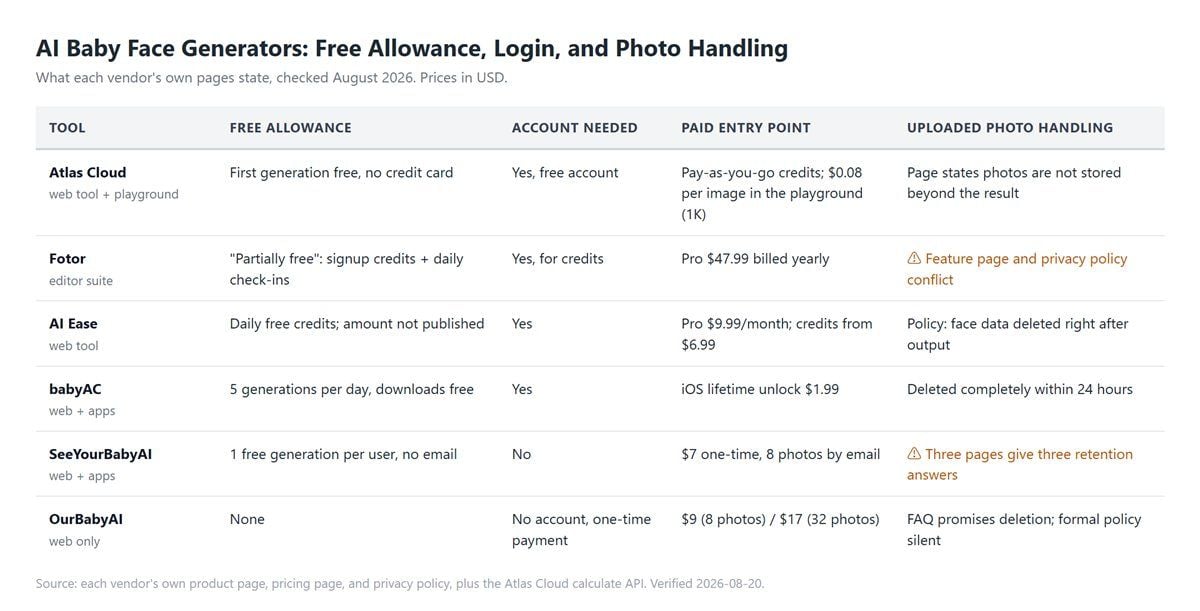
One thing this chart deliberately does not measure is genetic realism, because no baby face generator can. If you want the actual science of which parent's features carry through, the genetics side is a separate article of its own. Here, the question is narrower: what does each tool cost, gate, and keep?
The Free Atlas Cloud AI Baby Face Generator
Our couple's first stop was Atlas Cloud, whose free AI Baby Face generator keeps the recipe short on purpose: "one clear photo of each parent, no extra settings to adjust." The strip below is the whole transaction: two fictional portraits in, one blended baby out, framing and background decided by the tool.
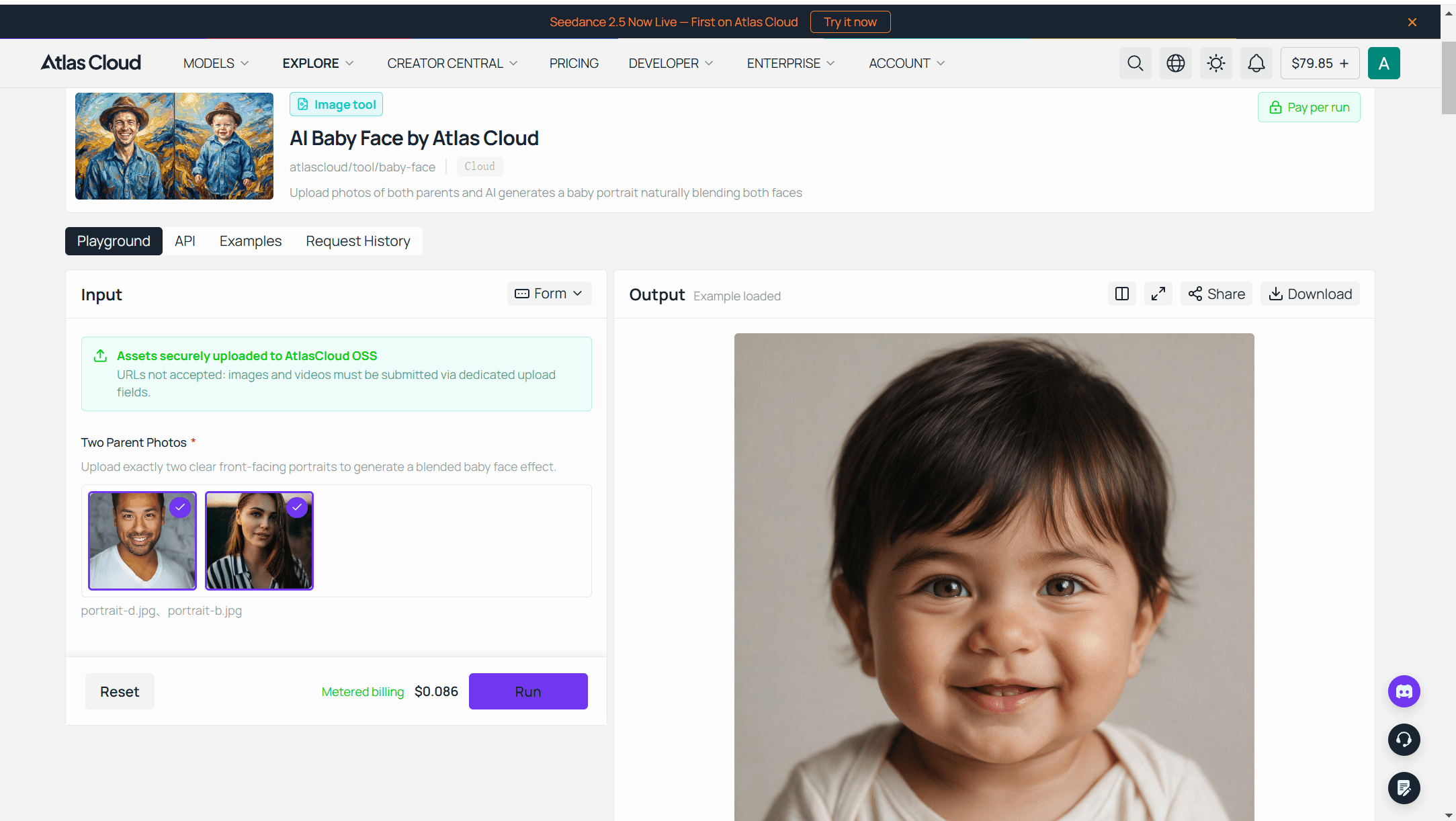
Signing in with a free account comes first, as it does across the platform's free tools, but the page is direct about the cost after that: "your first baby face generation does not cost a thing, and you will not be asked for a credit card to get started." Later runs switch to metered billing. On photos, the tool's FAQ states they are used to generate the result and not stored beyond it.
When 2 Photos Aren't Enough: The Atlas Playground Route
Here's the twist: the two-photo recipe is a choice the free tool makes, and the platform underneath can take far more. The same pair of portraits can go into the Atlas Playground, where Nano Banana 2 Edit, an image editing model from the Google model family, accepts anywhere from 1 to 14 reference images per run. That capacity is what opens up the fun experiments: add a photo of a first child as a third reference and ask for a younger sibling, or push the output to 4K for printing.
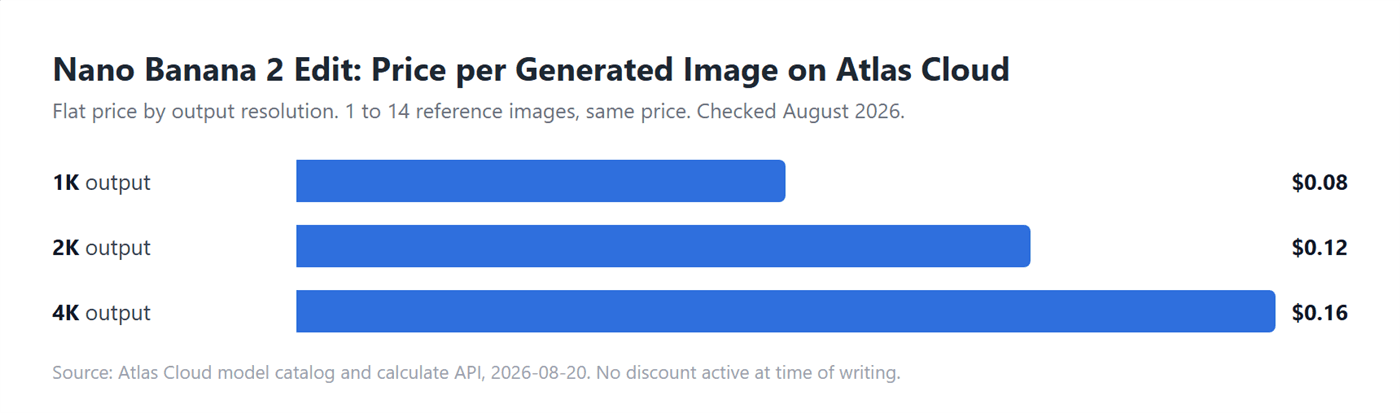
Checked against the platform's price calculator on August 20, 2026, the model charges a flat rate by output resolution, and the number of reference photos does not change the price. No discount was active at the time of checking, so list price and charged price were identical. Prices on Atlas Cloud move over time; read these as an August 2026 snapshot.
We ran the same fictional couple through this route with the prompt below, both portraits attached as references, resolution at 1K and aspect ratio 1:1:
plaintext1Generate a photorealistic portrait of a baby, around 1 year old, whose facial features naturally blend characteristics of the two adults in the reference images: face shape, eye shape and color, nose, and skin tone. Cozy home setting with a softly blurred living room background and warm natural light, front-facing, gentle smile
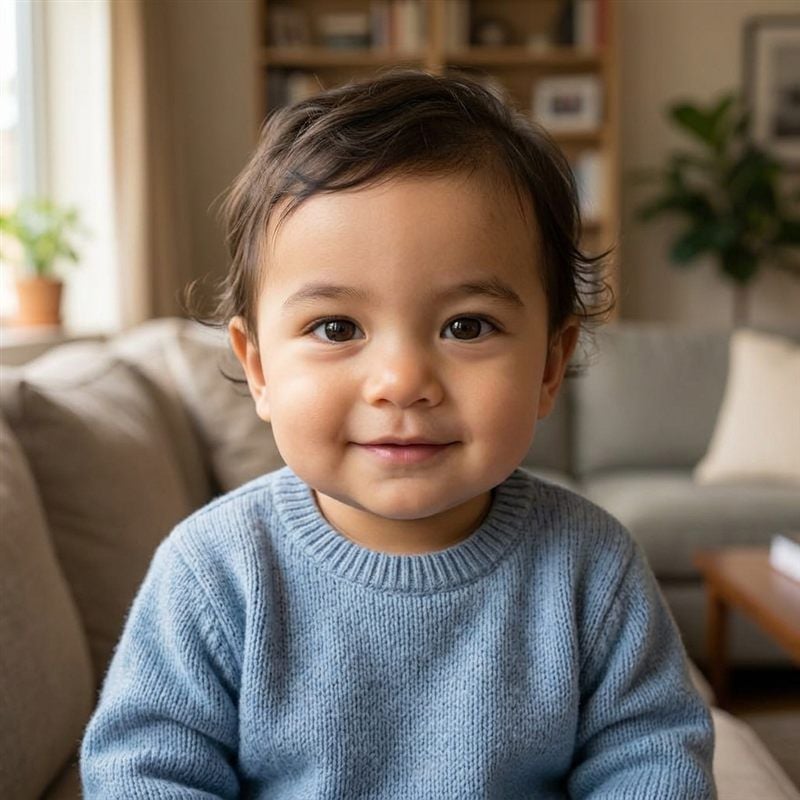
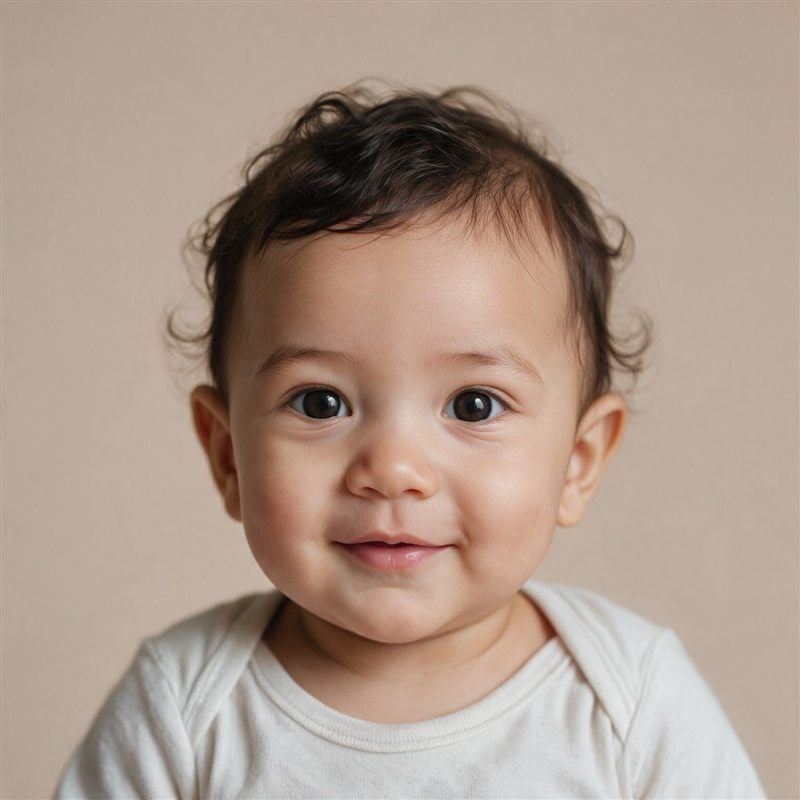
Worth comparing the two Atlas results side by side. The free tool decided the framing and background on its own; the Playground run kept the living-room setting because the prompt asked for it. Same parents, two visibly different babies that could still pass as siblings.
The 5 Best AI Baby Face Generators, Reviewed One by One
The five dedicated tools below are ordered by how much you can do before paying, with a tiebreaker for how clearly each one documents photo handling. In short: babyAC for repeat free runs, SeeYourBabyAI for a no-signup try, AI Ease for adjustable results, Fotor if you already work in its editor, OurBabyAI when you want a finished photo pack and don't mind that nothing is free.
babyAC: 5 Free Runs a Day, Photos Erased in 24 Hours
babyAC comes from AC Works, a Japanese company, and it publishes the clearest free math in the category: "Log in to try up to 5 times a day for free," with downloads included at no charge. Its retention line is just as blunt: "Image data will be completely erased in 24 hours." Upload a JPG or PNG of each parent, and a resemblance toggle lets the result lean toward either side of the family.
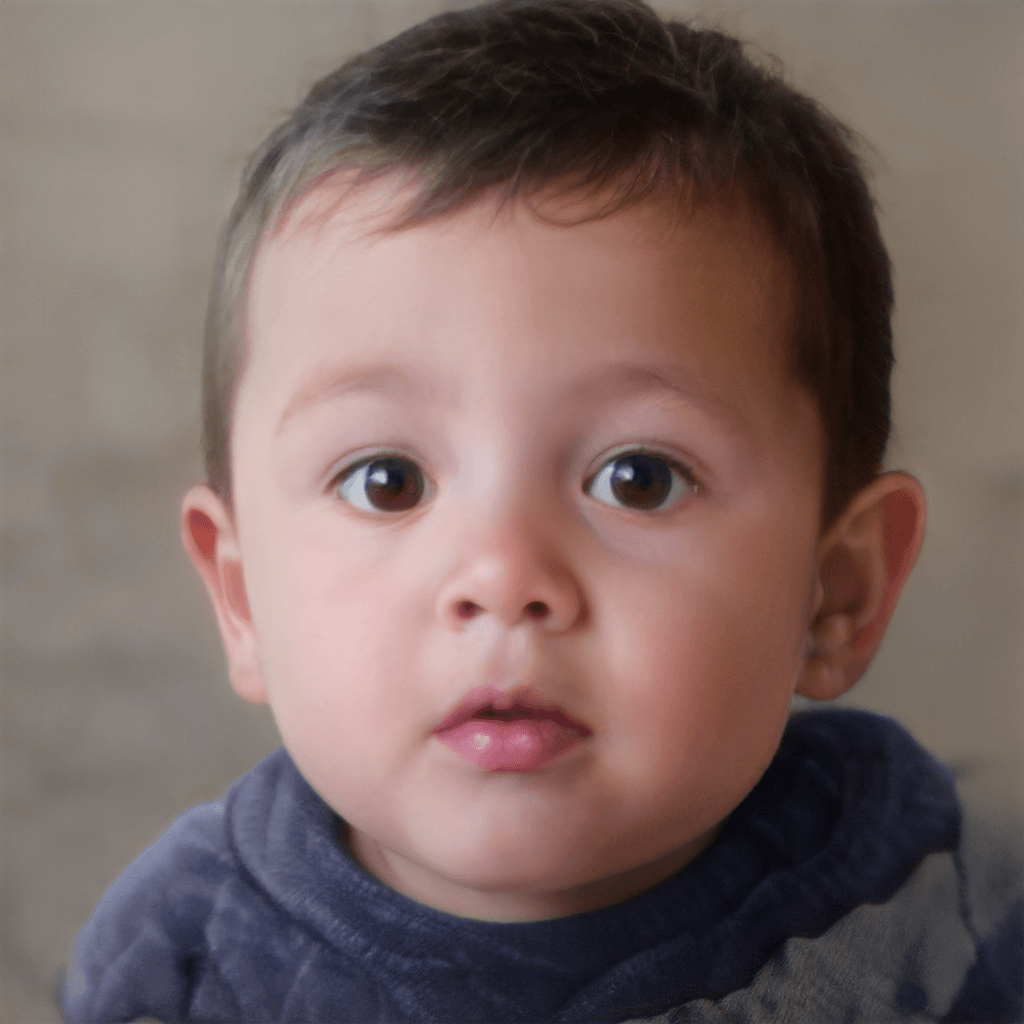
Our couple's run came back as the softest render in this comparison, a tight head-and-shoulders crop with heavy smoothing across skin and hair. The parents' brown eyes and dark hair both carried over; the texture just looks noticeably less photographic than the outputs further down.
The caveats sit on the app side rather than the website. Changing the predicted child's age is a paid feature there, the iOS app sells a lifetime unlock at $1.99, and store ratings are rough: 2.1 stars on Google Play across 100K+ downloads as of this writing. The web version is where this tool earns its place.
SeeYourBabyAI: 1 Free Run Per User, Then a One-Time Pack
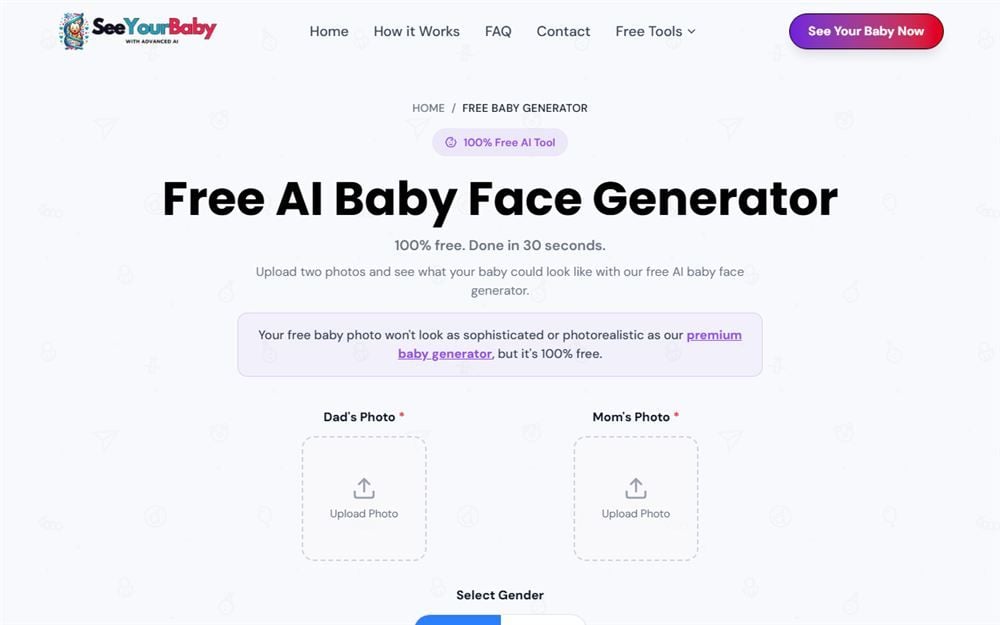
SeeYourBabyAI splits itself in two. A free page marked "100% Free • No email required • One generation per user" shows a result right in the browser, and the site is upfront that this preview "won't look as sophisticated or photorealistic" as the paid tier. The paid tier is a single one-time purchase, listed at $7 against a crossed-out $17 in August 2026, which emails 4 boy and 4 girl photos within a stated 5 minutes. No subscription, no account.
Our single free run is below, and it beat the site's own expectations management: a sharp, photographic toddler in a living-room scene rather than a rough draft. The catch is size. The file arrived as a 512-pixel square, fine on a phone screen, thin for printing or cropping.

The paperwork is messier than the product. On photo retention, three of its own pages give three answers: the privacy policy says parent photos are deleted the moment generation completes, the homepage FAQ says the delivered photos and your email are erased after 30 days, and the data deletion page allows some data to be retained for up to 14 days.
Refunds follow the same pattern, with the FAQ promising a full refund before generation while the terms state the service "generally" does not offer refunds. The pitch for the $7 pack is the quality gap the free page itself admits to; just know which page's promise you're relying on.
AI Ease: The Most Adjustable Free Baby Generator
AI Ease exposes more controls than anyone else here: gender, an age range of baby, child, or teen, a skin tone selector, and documented support for generating from a single parent's photo when you only have one to give.
The trade is that everything sits behind an account, with a "Sign Up or Log in to Get Started" prompt before your first run, and the free allowance is real but unnumbered. The site confirms daily free credits exist and never says how many, or how many credits one baby costs.
Our run took no visible credits, which sounds generous until you remember nothing on the page commits to it: with no published rate, what a generation costs is whatever the system decides that day. The output itself also made decisions nobody asked for, dressing the child in a panda onesie against a Christmas backdrop found in neither parent photo, and stamping an AI Ease watermark in the corner of the free file.

Its checkout lists Pro at $9.99 a month, marked down from $12.99 in August 2026, or $59.99 a year, with credit packs starting at 200 for $6.99, and the FAQ states plainly that there are no refunds. On privacy, the policy commits to deleting face data immediately after the output is generated, though its examples name the site's headshot and passport tools rather than the baby generator specifically.
Fotor: A Baby Face Generator Inside a Full Editor
Fotor's baby generator is one feature inside a large editing suite, and its FAQ calls the arrangement what it is: "partially free." New accounts get signup credits, daily check-ins earn more, and a resemblance control adjusts how much of each parent shows up in the result.
What the page never says is how many credits one generation burns, so the practical size of the free tier stays unknown. Pro was listed at $47.99 billed yearly with 1200 credits in August 2026, and the pricing page notes free-tier exports carry a watermark.
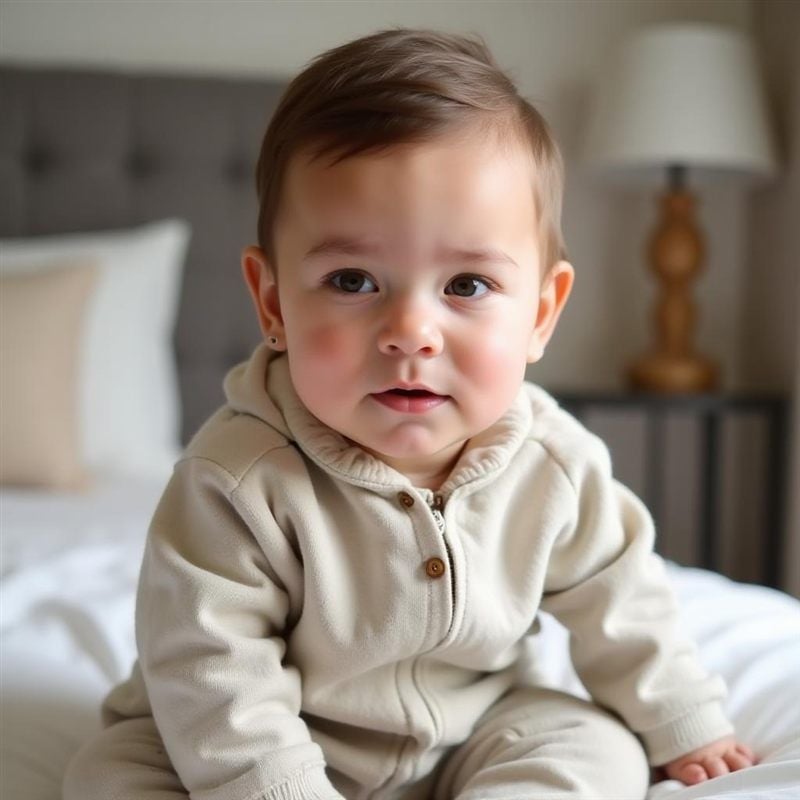
The result from our run was the most staged of the group: a full bedroom scene, the child aged visibly past the baby stage, and one invented detail, what appears to be a small stud earring on the left ear that nothing in either parent photo accounts for. Our free-account run in August 2026 deducted no credits and the download carried no watermark, both at odds with what the pricing page implies. The safer reading is unpredictability: a vendor that doesn't document its own billing can change it without notice.
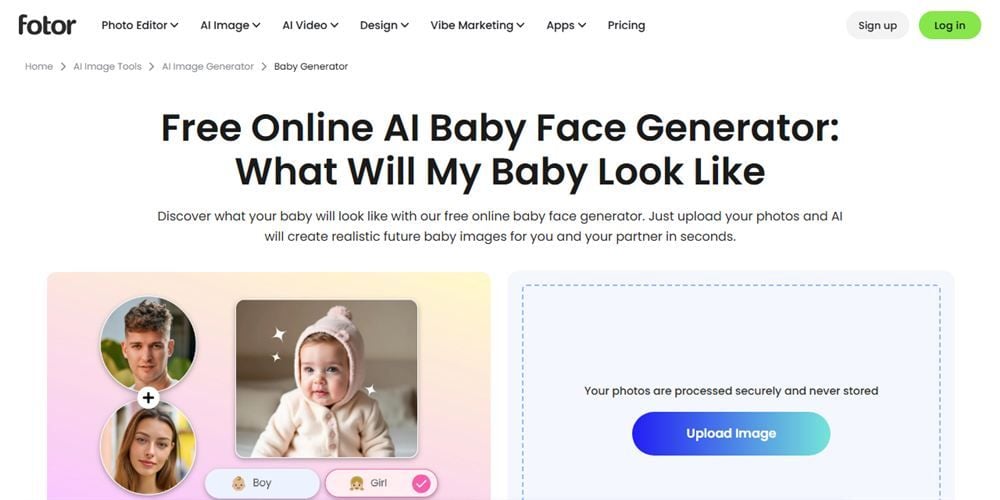
One line on that upload panel deserves scrutiny. The feature page says photos are "processed securely and never stored," while Fotor's privacy policy states user inputs are stored on its servers until you delete them or close the account. Both sentences are Fotor's own. We hit a similar pattern of undocumented credit costs when testing Fotor's face swap, so this seems to be how the suite prices all of its AI features, not a baby-generator quirk.
OurBabyAI: No Free Tier, 4 Life Stages
OurBabyAI doesn't pretend to be free, which after four freemium tools reads almost as a feature. Two one-time packages, no account needed: Basic at $9 (crossed from $19 in August 2026) delivers 8 baby photos by email with a stated 30-minute turnaround, and Premium at $17 (crossed from $27) delivers 32 photos covering baby, teenage, adult, and elderly versions of the same predicted child, with near-instant delivery.
Payment runs through Stripe, and the site says your email is used only for delivering the photos.
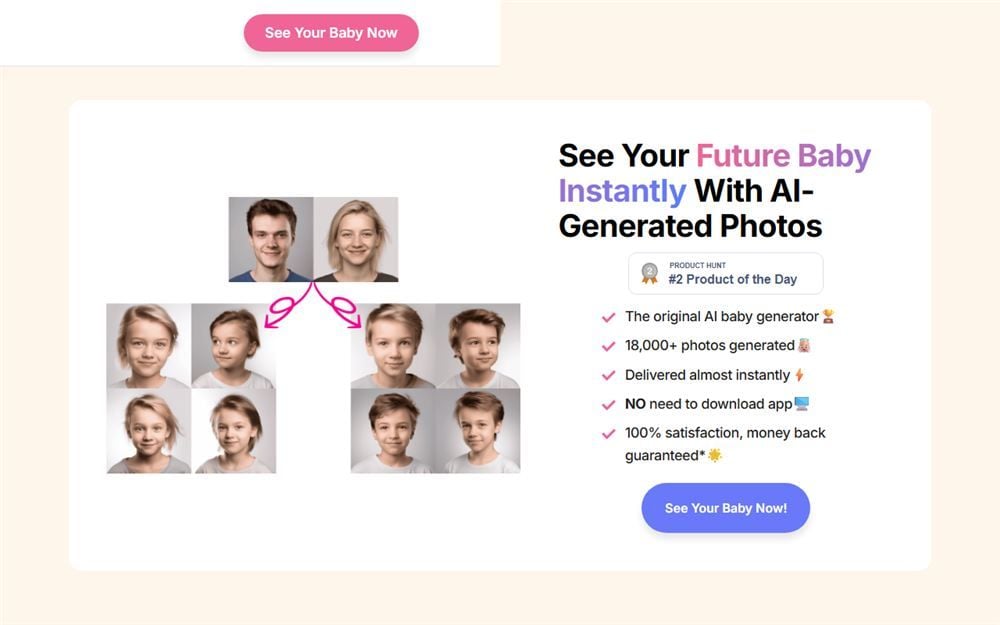
Read the guarantee closely, though. The homepage advertises "100% satisfaction, money back guarantee*," while the terms explain the actual ladder: unsuitable photos get refunded before generation, flawed results get adjusted or regenerated first, and after delivery a refund is no longer on the table. The FAQ promises photos are deleted from servers after delivery; the formal privacy policy never repeats that promise. If the four-life-stages idea is what sells you, Premium is the only tier that includes it.
Frequently Asked Questions
Can I use an AI baby generator for free without signing up?
Only one tool in this comparison offers that exact combination: SeeYourBabyAI's free page requires no email and grants one generation per user. OurBabyAI skips accounts too but has no free tier at all. Everything else gates its free allowance behind a login, including Atlas Cloud, where the first generation is free once you're signed into a free account.
Do AI baby face generators work with only one parent photo?
AI Ease documents single-photo support directly in its FAQ. The other tools here are built around one photo of each parent, and the Atlas Cloud free tool asks for exactly two. In the Atlas Playground the count is up to you, anywhere from 1 to 14 reference images.
How accurate are AI baby face generators?
They blend pixels, not genes. Each tool reads face shape, eye and skin color, and hair from the uploaded photos, then renders one plausible combination. Our one pair of photos came back as a visibly different child from every service we ran it through, from a soft close-up to a staged bedroom scene. Real inheritance involves gene combinations no photo can reveal, so no output from these tools should be read as a forecast.
Is it safe to upload photos to a baby face generator?
Check the retention statement before the upload button, not after. The spread in this comparison ran from babyAC's flat 24-hour deletion promise to two vendors whose marketing claims and formal policies disagree with each other. When the privacy policy and the product page tell different stories, assume the policy is the one that counts legally.
Why do different AI baby generators give different results from the same photos?
Each service runs its own model with its own training data and blending approach, and some apply a house style to every output on top of that. There's no shared standard for how much of each parent carries through, which is a practical argument for trying a tool's free run before paying for a pack.
Conclusion
Line up the six and the pattern is plain: the further a tool leans on the word free, the more the details matter. babyAC backs the word with 5 daily runs and a 24-hour deletion clock. SeeYourBabyAI backs it with exactly one no-email run and honest fine print about the quality gap. Fotor and AI Ease attach it to credit systems that never publish the one number you need; our runs happened to cost nothing, and no page at either vendor says that will hold. OurBabyAI skips the free pitch and just sells a finished pack.
For a first try, the path we'd repeat is the one this article's own test followed: generate or gather one clear photo of each parent, spend the free first run on the Atlas Cloud baby tool linked above, and move to the Playground when you want resolution control or a third reference photo. The rest of the platform's free browser tools live on the AI tools page, baby face generator included. Whichever AI baby face generator you land on, upload with the retention policy read, and treat every result as the entertainment it is.