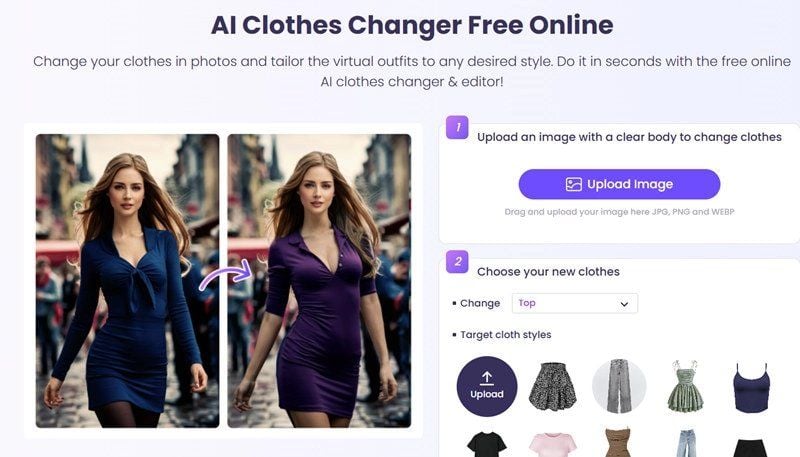
You upload a photo, pick a dress from a template grid or your own reference photo, and a few seconds later you're looking at yourself in different clothes. That's the pitch behind the Vidnoz AI clothes changer, and on the surface it holds up. Generation costs nothing, no account required. But two of Vidnoz's own pages disagree about what happens next, and that gap matters more than the demo does.
Key Takeaways
- The Vidnoz clothes changer generates without an account, but downloading the result requires logging in, and Vidnoz never publishes a daily free-generation cap.
- Vidnoz's tool page says results carry no watermark. Its own pricing page marks watermark-free exports as a paid-tier feature. Both statements are live on the site at the same time.
- The Vidnoz template library also hides an upload tile, so custom clothing photos work alongside the presets.
- Atlas Cloud's free AI clothes changer works from a typed description instead of a template search, and every generation comes out at full resolution with no watermark.
- For batch work or a real garment photo instead of a description, Seedream 5.0 Pro Edit is the same class of editing model behind the free tool, callable directly through Atlas Cloud's API.
What the Vidnoz AI Clothes Changer Promises vs What You Actually Get
Read the tool page on its own and the terms sound clean. Results are shown coming out with no watermark, no caveat attached anywhere on that page.
Then open the pricing page. Its feature comparison table lists "Watermark-free Exports" as a line item, checked for paid subscribers and unchecked on the free row. That's not a minor inconsistency. It's two official Vidnoz pages making opposite claims about the same output.
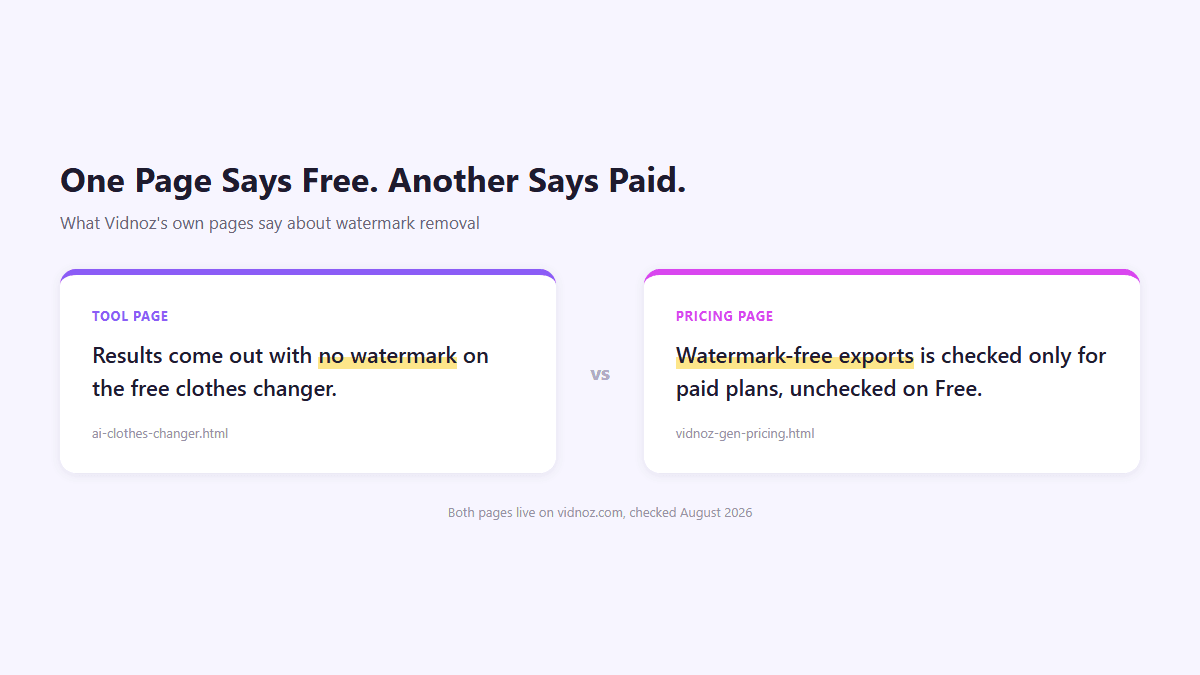
Neither page has been corrected as of this writing, so anyone counting on a clean, free download should verify it themselves before they build a workflow around the assumption.
Feeding the Vidnoz Clothes Changer a Photo: Templates or Your Own Upload
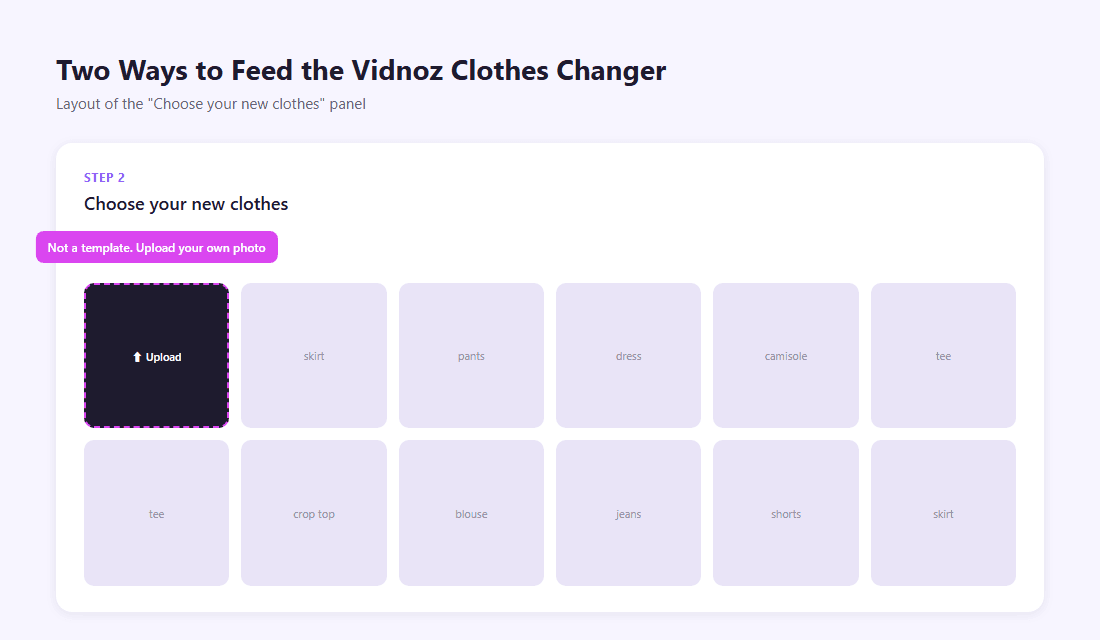
The mechanism itself is straightforward. You upload a photo with a clear, visible body, then move to a second panel labeled "Choose your new clothes." A dropdown lets you pick which layer to change (top, bottom, dress, and similar categories), and below it sits a grid of clothing thumbnails.
What's easy to miss is the first tile in that grid. It isn't a template. It's an Upload button, letting you drop in a photo of an actual garment instead of picking from Vidnoz's preset styles. So the Vidnoz clothes changer runs two input modes on one screen: browse the built-in wardrobe, or supply your own reference image. Most coverage of the tool only mentions the template side.
That flexibility doesn't extend to the output stage, though. Once you're happy with a result, downloading it for free means logging in first. Generation stays open to anyone; getting the file onto your device does not.
Try Atlas Cloud's Free AI Clothes Changer Tool Instead
Atlas Cloud runs its own take on the same idea, one of a wider set of free tools on the platform. The input method is the biggest difference: instead of hunting through a template grid or sourcing a garment photo, you just describe the outfit in a sentence.
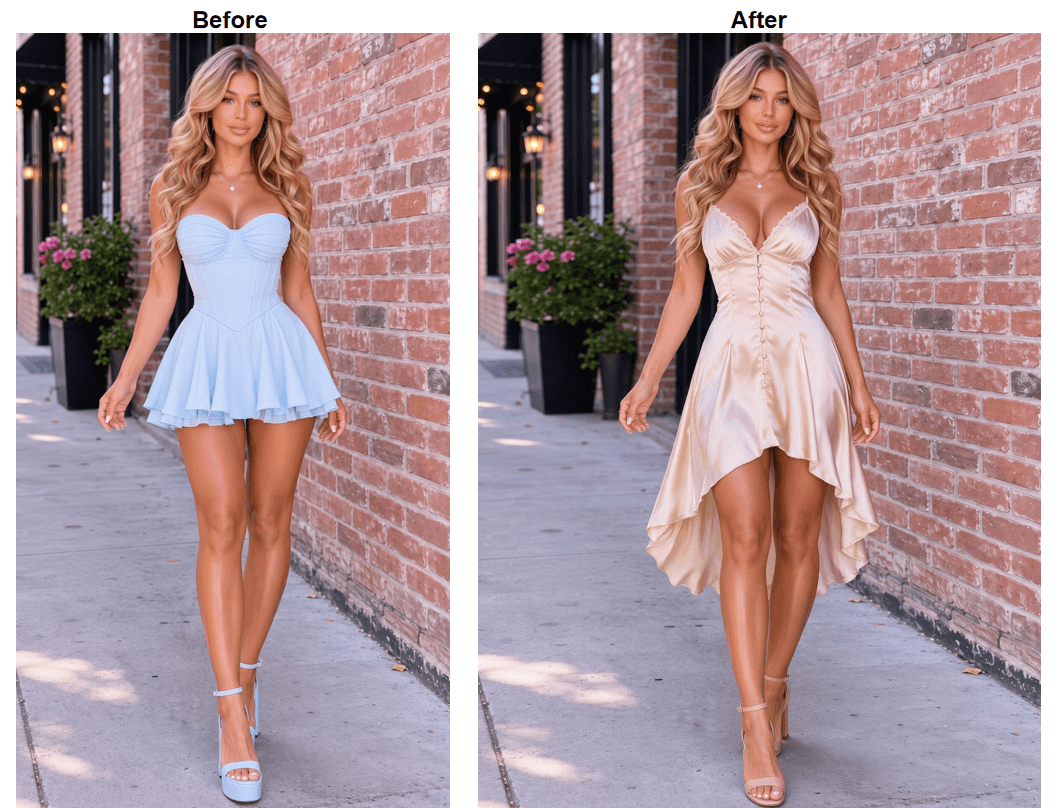
Type "charcoal business suit" or "beach wedding guest dress," and the model builds the outfit from scratch rather than compositing a garment photo onto your body. That matters when you can picture what you want but don't have a product shot of it. A quick sign-in activates your first generation at no cost. You can try it yourself here.
What You'll See When You Run Atlas Cloud's Clothes Changer
Describing Your Outfit to the AI Clothes Changer
The whole flow is a photo, a sentence, and one button. Upload a clear photo of yourself, up to 10MB in JPG, PNG, or WebP, then type out the full outfit rather than a single item. "Fitted charcoal wool suit with a white collared shirt" gives the model more to work with than "suit," since fabric, color, and cut all get styled in one pass.
Getting Your Clothes Changer Result
A run takes roughly 40 seconds. What comes back preserves your face and hair untouched while rebuilding everything below it, so the person in the output is still recognizably you.
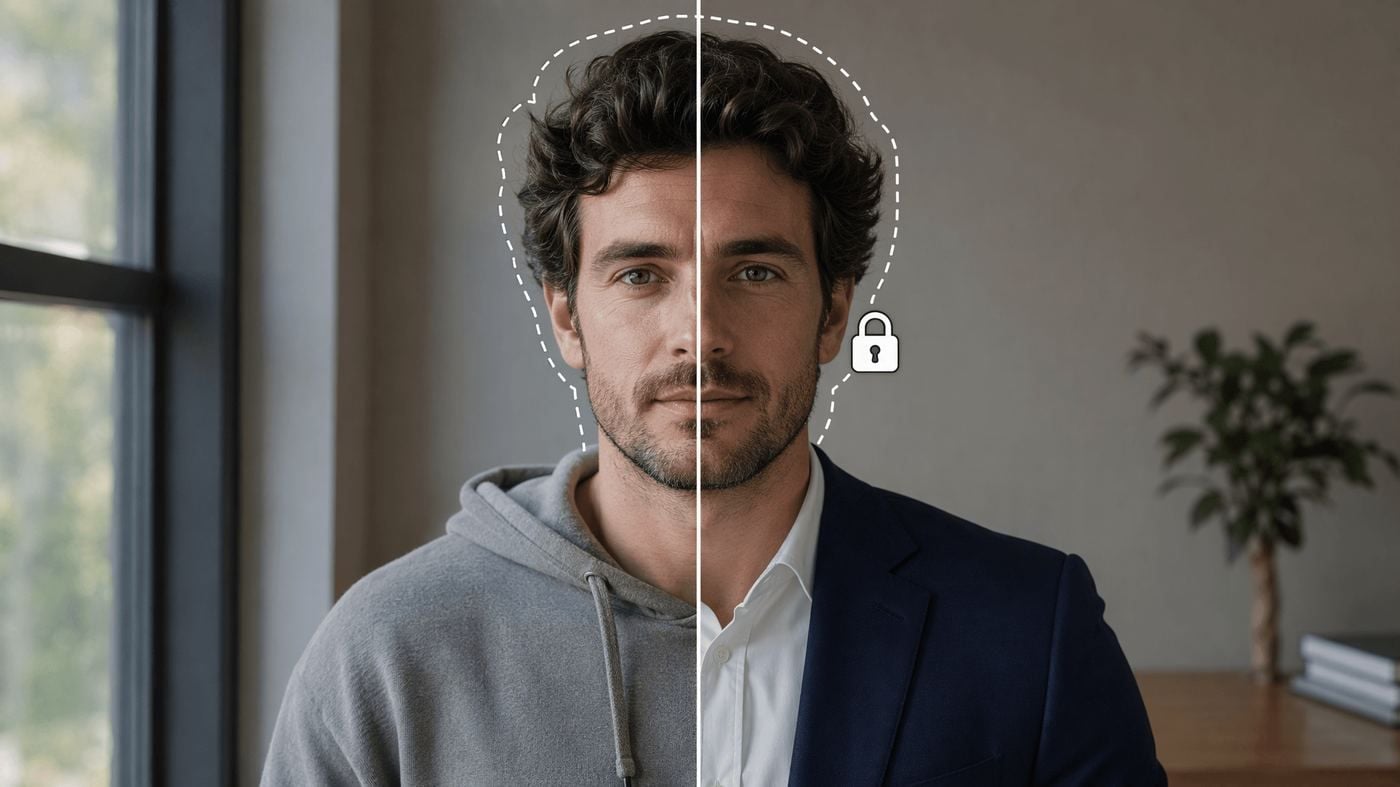
Downloads land at 1328 by 1776 pixels, sharp enough to hold up at a decent print size, and there's no separate watermark-removal step to hunt for afterward.
Going Further: Seedream 5.0 Pro Edit via API
The free tool is built for one photo at a time, typed description in, new outfit out. The moment you need fifty product shots restyled overnight, a fixed output size across a whole batch, or an actual garment photo transferred onto a model instead of a text description, the browser tool runs out of road. The same class of image editing, available directly through Atlas Cloud, is Seedream 5.0 Pro Edit, ByteDance's flagship image editing model, part of Atlas Cloud's ByteDance model family.
Two things make it the right pick for clothing edits specifically. It reads up to 10 reference images in a single request and resolves instructions across them, so it isn't limited to text-only prompts the way the free tool is: feed it an actual garment photo alongside the person's photo and it can transfer that exact piece instead of reinterpreting a description. And it's tuned to hold face, hair, pose, and background steady while it rewrites the clothing, the same identity-preservation behavior the free tool demoed above, just with more control over input and output.
Before writing any code, the model's own playground is worth testing against. Load a photo, write the edit as a plain-language instruction, pick an output size, and the exact price for that specific request shows next to the Run button before you commit anything, no need to memorize a rate card.
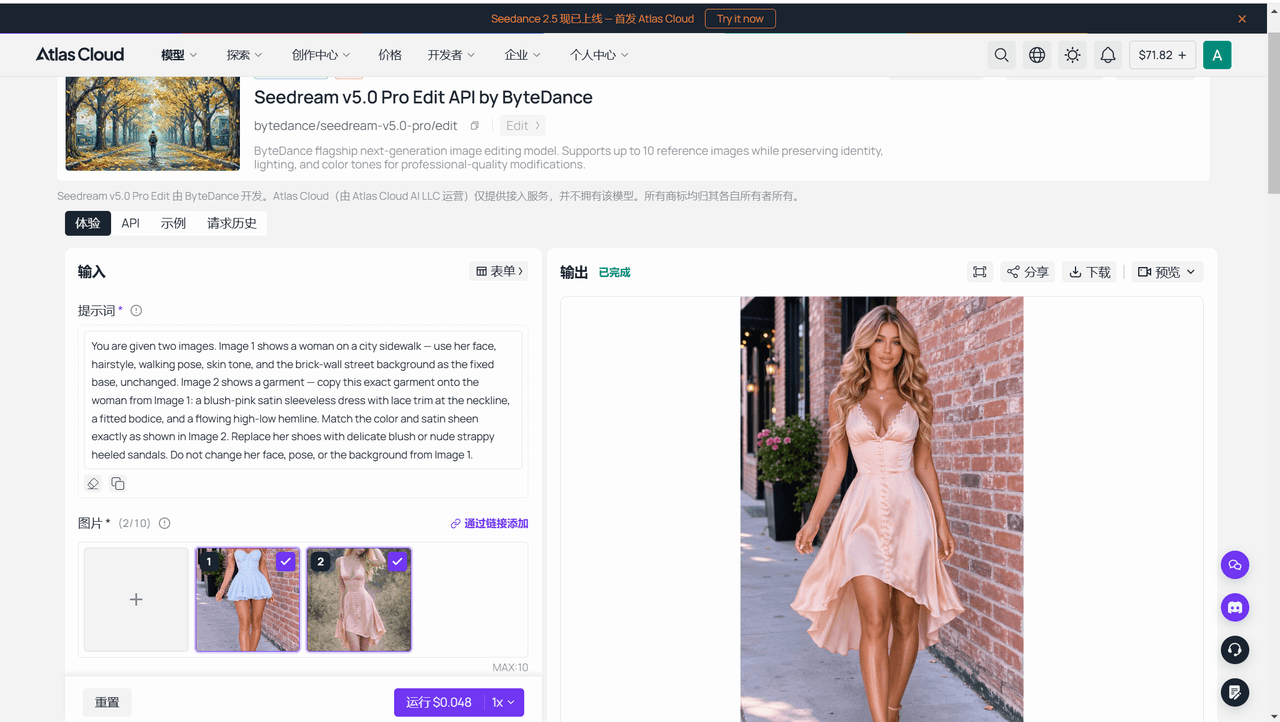
Once a test run holds up, calling it from your own code is three steps.
Step 1: Create an API key. Generate one from the Atlas Cloud console and keep it server-side; the same key authenticates every model on the platform, not just this one.
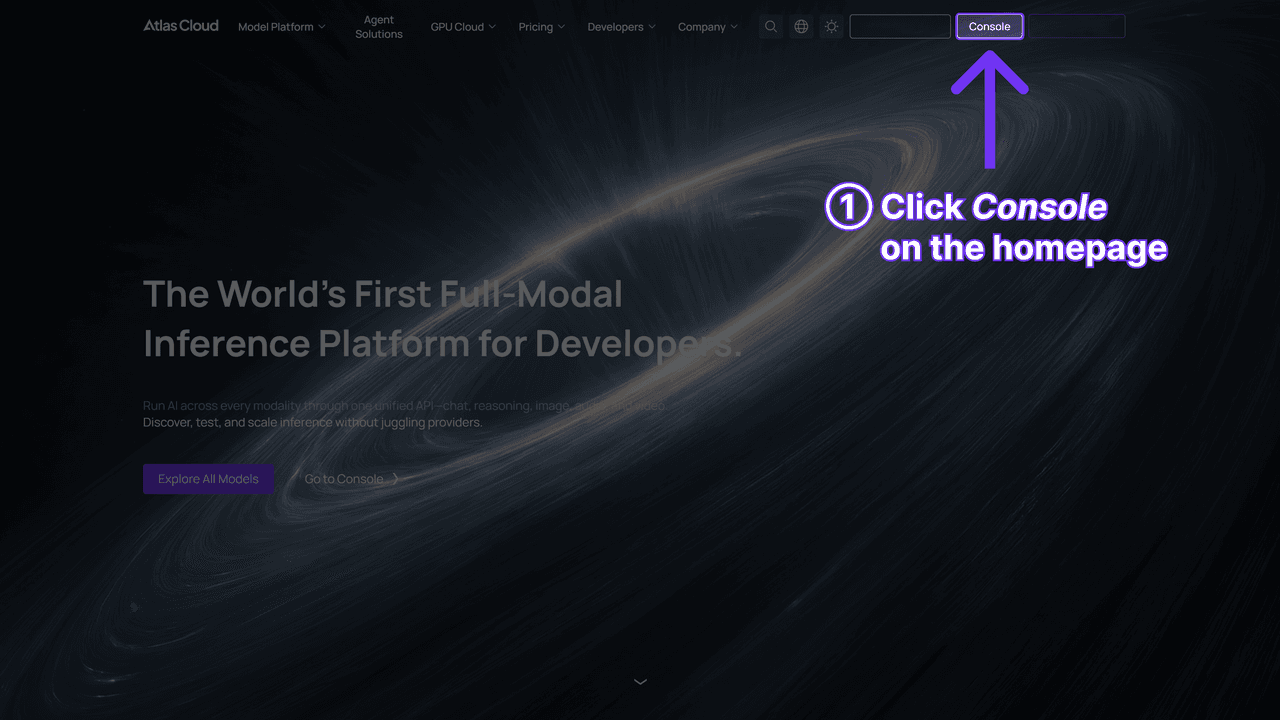
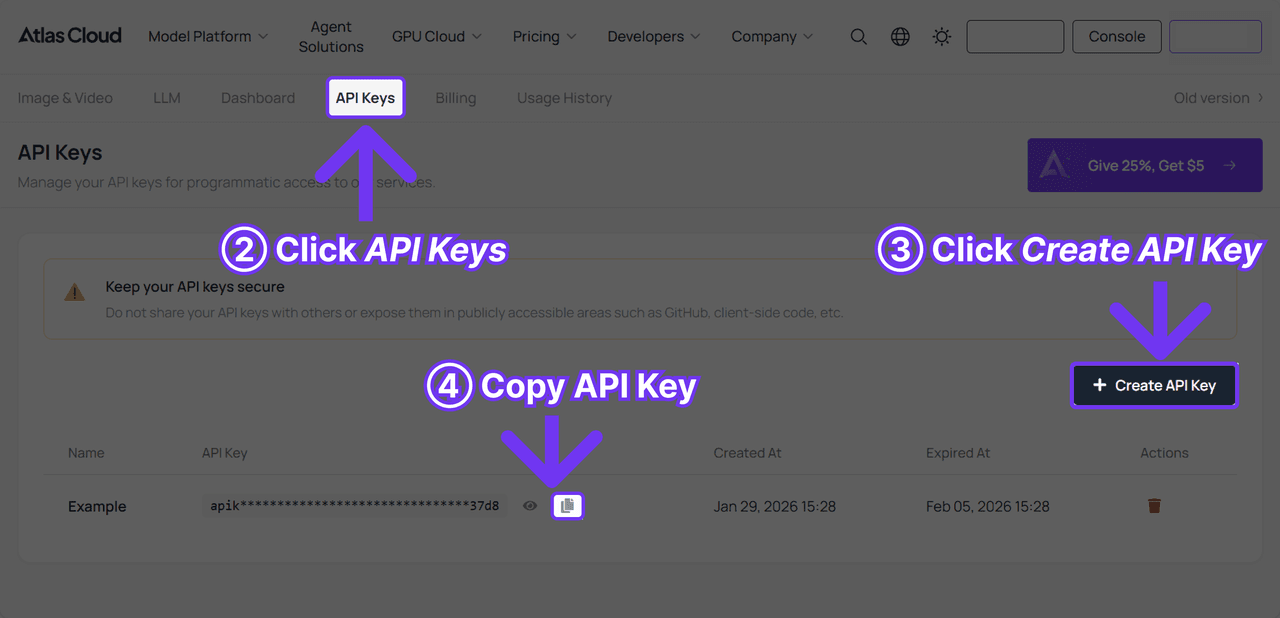
Step 2: Check the request shape. Authentication and the polling contract live in the API documentation.
Step 3: Send the request and poll. Submission is asynchronous and hands back a prediction id to check on.
Bash1curl -X POST https://api.atlascloud.ai/api/v1/model/generateImage \ 2 -H "Content-Type: application/json" \ 3 -H "Authorization: Bearer $ATLASCLOUD_API_KEY" \ 4 -d '{ 5 "model": "bytedance/seedream-v5.0-pro/edit", 6 "prompt": "Change the outfit to a beach wedding guest dress, flowing pale blue chiffon. Keep the face, hair, pose, and background unchanged.", 7 "images": [ 8 "https://your-cdn.com/photo.jpg" 9 ], 10 "size": "1328*1776" 11 }'
Bash1curl -s https://api.atlascloud.ai/api/v1/model/prediction/<PREDICTION_ID> \ 2 -H "Authorization: Bearer $ATLASCLOUD_API_KEY"
Poll until status reads completed; the finished image URL shows up in outputs. Same endpoint, same auth header, same polling shape as every other model on Atlas Cloud, so swapping in a different model later is a one-line change, not a new integration.
Where the Vidnoz Clothes Changer Free Tier Runs Out
Three things bind the free tier in practice, and none of them are spelled out on a single page.
Daily generations are capped, though Vidnoz never publishes the number. Downloading a result for free still means logging in first. And that same watermark removal only comes bundled with a paid plan, a 960-credit pack marked $29.99 with a 20% discount badge next to it and no pre-discount price posted, as of when we checked.
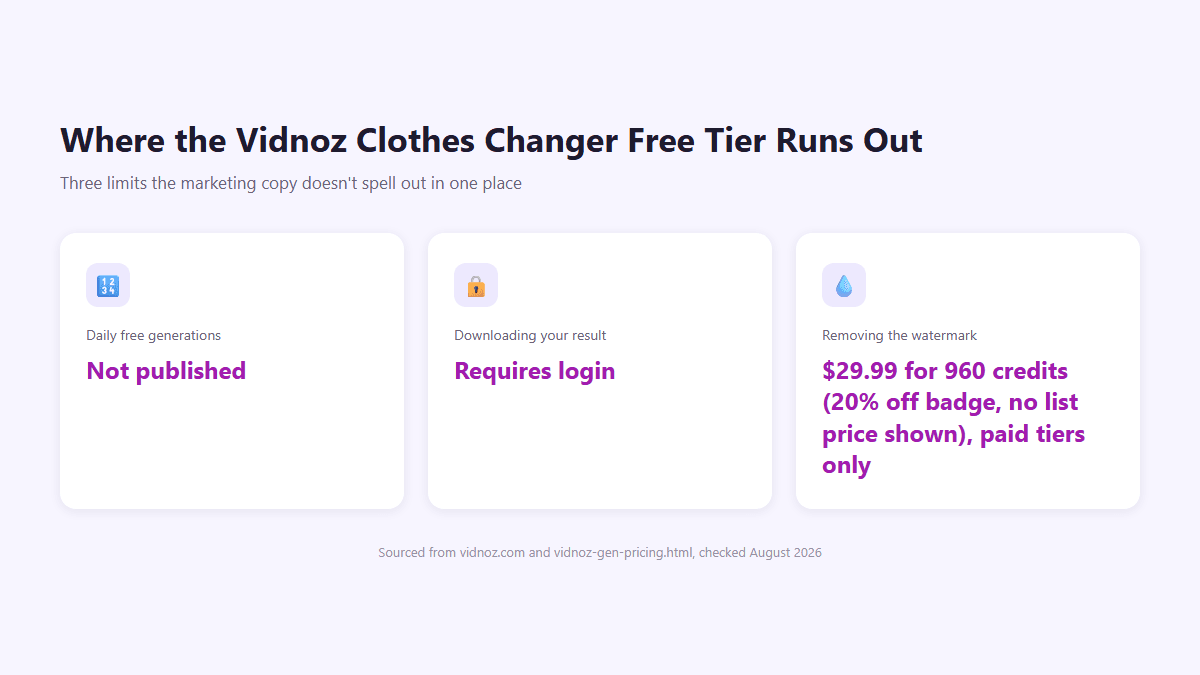
None of this makes the Vidnoz clothes changer unusable. It just means the free experience has more moving parts than the landing page lets on, and the parts that matter (your final download, watermark-free or not) sit past a wall the homepage doesn't mention.
Vidnoz Clothes Changer or Atlas Cloud: Which Free Tool Wins
It comes down to what you're optimizing for. If you already have a clothing photo you want composited onto your body, Vidnoz's upload option handles that directly, something Atlas Cloud's text-only input doesn't attempt. If you're describing an outfit you can picture but can't source a photo of, that's where the Atlas Cloud tool pulls ahead.
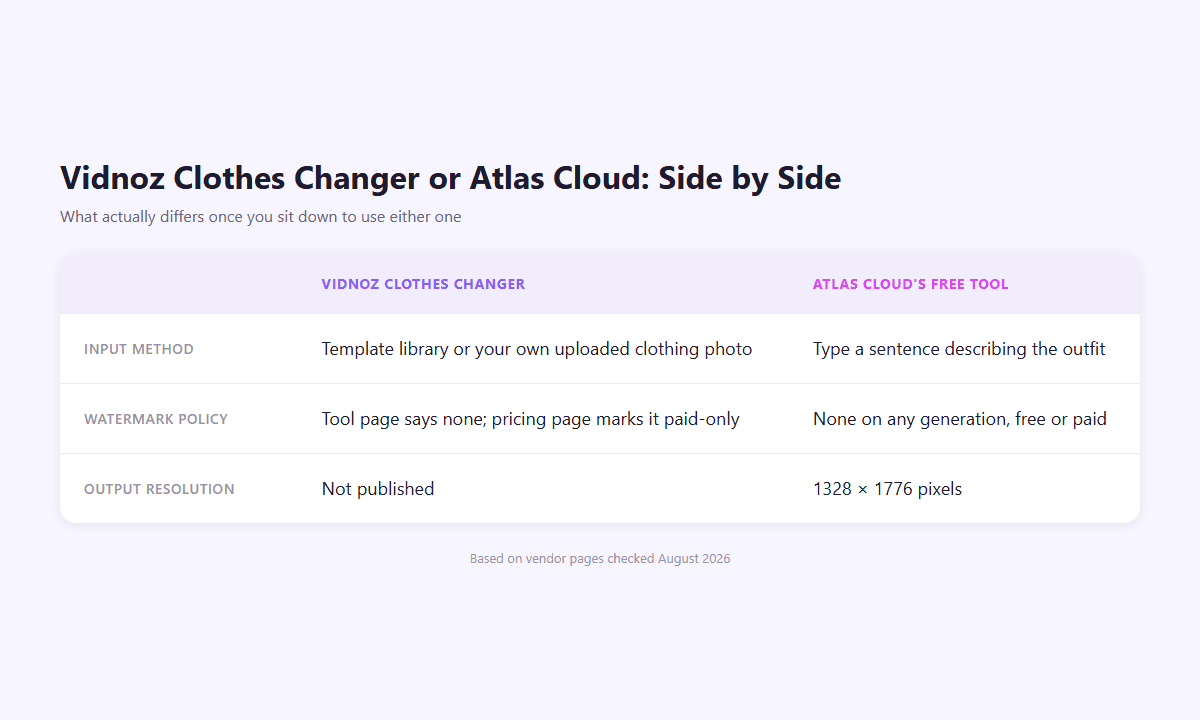
Watermark clarity is the harder gap to explain away. One vendor's own pages disagree with each other; the other states one policy and applies it the same way whether you're on a free run or a paid one. For anyone who just wants to know exactly what they'll get before they commit any time to it, that clarity counts for more than an extra input mode.
Frequently Asked Questions
Is the Vidnoz AI clothes changer free to use?
Yes, generating a result costs nothing and doesn't require an account. Vidnoz caps how many free generations you get per day, though it doesn't publish the exact number, and downloading your result for free does require logging in.
Does Vidnoz's clothes changer add a watermark to downloads?
It depends which Vidnoz page you read. The tool page describes output with no watermark. The pricing page lists watermark-free exports as a paid-tier feature, unchecked on the free plan. We found no update reconciling the two as of this writing.
Do you need an account for the Vidnoz clothes changer?
Not to generate a result. You only need to log in when you're ready to download it for free.
Do you need an account for Atlas Cloud's free clothes changer tool?
A quick sign-in with Google, GitHub, or email activates your first generation. In exchange, that run comes back at full resolution with no watermark, and there's no separate login step later to get your file.
What's a free alternative to the Vidnoz AI clothes changer?
Atlas Cloud's free clothes changer tool works from a typed outfit description rather than a template search, at no cost for the first run.
How much does the Seedream 5.0 Pro Edit API cost?
Checked against Atlas Cloud's own price calculator on August 25, 2026, with no promotion running: $0.045 per image up to about 2.36 million output pixels, the tier that covers 1328 by 1776, and $0.09 per image above that, up to 2048 by 2048. The first reference image is included; each additional one adds $0.003.
Conclusion
Both tools change clothes in a photo for free, and both hold something back until you're a step or two in. Vidnoz gives you two ways to source an outfit, template or upload, then complicates the finish line with a login-gated download and a watermark policy that contradicts itself between pages. The Vidnoz clothes changer is worth trying if you already have a garment photo ready to composite. If you'd rather describe what you want and get a consistent answer about what you're getting, Atlas Cloud's free clothes changer tool is the more predictable place to start.